

Writing can be time-consuming, especially when you are staring at a blank page and unsure how to begin. Whether you need a blog post, email, product description, social media caption, essay outline, or business copy, getting the first draft down can be the hardest part.
- What Is an AI Writing Generator?
- How Does an AI Writing Generator Work?
- What Can You Use an AI Writing Generator For?
- 1. Blog and Article Drafting
- 2. Email Writing
- 3. Content Rewriting
- 4. Summarizing Information
- 5. Brainstorming Ideas
- AI Writing Generator vs. Traditional Writing
- How to Write Better Prompts
- Why Context Matters
- Grammar and AI-Generated Writing
- Common Mistakes When Using AI Writing Tools
- Mistake 1: Using Extremely Vague Prompts
- Mistake 2: Publishing the First Draft Without Editing
- Mistake 3: Trusting Every Fact
- Mistake 4: Overusing AI-Style Phrases
- Mistake 5: Ignoring the Reader
- How to Edit AI-Generated Content Properly
- Step 1: Check the Facts
- Step 2: Remove Repetition
- Step 3: Improve the Introduction
- Step 4: Make Examples Specific
- Step 5: Read the Content Aloud
- How to Make AI-Assisted Writing Sound More Natural
- Can an AI Writing Generator Help With SEO?
- AI Writing Generator for Students
- AI Writing Generator for Businesses
- How to Choose an AI Writing Generator
- A Simple AI Writing Workflow
- 1. Define the Goal
- 2. Provide Context
- 3. Generate a Draft
- 4. Review and Edit
- 5. Add Human Judgment
- Frequently Asked Questions
- Conclusion
An AI writing generator can help solve that problem. These tools use artificial intelligence to generate, rewrite, summarize, expand, or improve text based on instructions called prompts. Instead of replacing the writer completely, a good AI writing tool can act as a starting point, helping you organize ideas and turn rough thoughts into readable content.
But how does an AI writing generator actually work? What can it create? Is the resulting content accurate and grammatically correct? And how can you use one without producing repetitive or unnatural writing?
This guide answers those questions and explains how to get better results while keeping accuracy, clarity, originality, and human judgment at the center of the writing process.
What Is an AI Writing Generator?
An AI writing generator is software that uses artificial intelligence and language models to produce text from a user’s instructions.
You might provide a short prompt such as:
“Write a friendly introduction explaining why proofreading is important.”
The tool then generates text based on the instructions, context, and patterns it has learned from large amounts of language data.
Depending on the tool, an AI writing generator may help with:
- Blog posts
- Articles
- Emails
- Product descriptions
- Social media posts
- Headlines
- Summaries
- Outlines
- Rewriting
- Grammar improvements
- Brainstorming
- Business copy
- Explanations
- Frequently asked questions
The quality of the output depends heavily on the instructions you provide. A vague prompt usually produces a general response, while a detailed prompt can produce content that is more closely aligned with your goal.
How Does an AI Writing Generator Work?
Although the technology behind modern language models is complicated, the basic idea is easier to understand.
An AI writing system analyzes the instructions you provide and predicts suitable language based on patterns learned during training. It considers factors such as context, wording, relationships between concepts, and the structure of the requested output.
For example, if you ask:
“Write three professional subject lines for an email about a delayed delivery.”
The system understands that you want:
- Email subject lines
- A professional tone
- A specific topic
- Multiple variations
It then generates text that attempts to satisfy those requirements.
AI Writing Is More Than Automatic Text Completion
Modern writing tools can perform more than simply completing a sentence.
Depending on the system, they can:
- Follow formatting instructions
- Change the tone of existing text
- Simplify complicated explanations
- Generate alternative wording
- Organize information
- Summarize longer material
- Suggest titles
- Identify potential grammar problems
However, generated text should still be reviewed. AI systems can produce incorrect information, misunderstand instructions, or choose wording that sounds unnatural in a particular context.
What Can You Use an AI Writing Generator For?
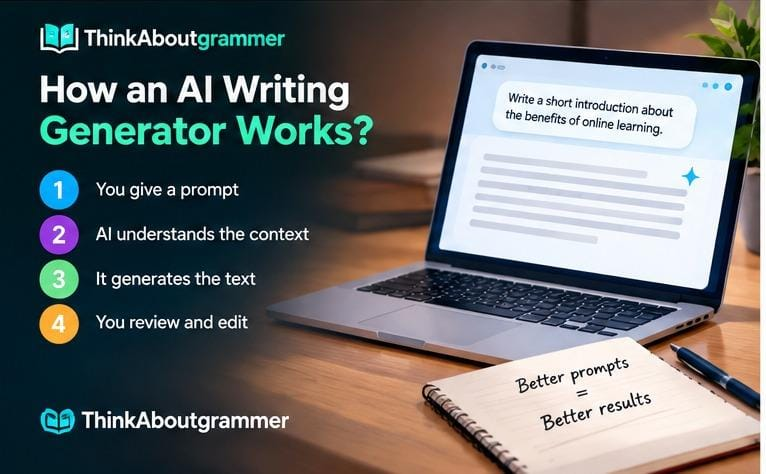
An AI writing generator is useful across many writing situations. The best use case depends on what you are trying to accomplish.
An AI writing generator can also work as an AI Writing Assistant, helping with drafting, rewriting, brainstorming, and everyday communication.
1. Blog and Article Drafting
Writers can use AI to brainstorm topics, create outlines, develop introductions, or produce initial drafts.
For example, instead of asking:
“Write about grammar.”
A more useful prompt could be:
“Create an outline for a beginner-friendly article explaining five common English grammar mistakes. Include examples of incorrect and corrected sentences.”
The second prompt provides a clear goal and structure.
2. Email Writing
Writing a professional email can be difficult when you want to sound polite without becoming overly formal.
An AI tool can help transform a rough message into a clearer version.
Rough version:
“I can’t attend the meeting tomorrow because I have something else.”
Improved version:
“Thank you for the invitation. Unfortunately, I won’t be able to attend tomorrow’s meeting due to a scheduling conflict.”
The important point is that the AI is improving the communication rather than deciding what you actually want to say.
3. Content Rewriting
An AI writing tool can rewrite existing text for different audiences or tones.
For example:
Original:
“Our software makes managing projects easier.”
More conversational:
“Our software helps you keep projects organized without making your workflow complicated.”
The meaning remains similar, but the presentation changes.
4. Summarizing Information
AI can condense lengthy material into shorter explanations.
A useful summary prompt might be:
“Summarize this information in five bullet points. Keep the important facts and remove repetition.”
This can be especially helpful during research or when preparing notes.
5. Brainstorming Ideas
Sometimes the problem is not writing—it is knowing what to write.
An AI writing generator can suggest:
- Blog topics
- Article angles
- Headlines
- Questions
- Examples
- Content sections
- Discussion points
You can then select the ideas that are genuinely useful instead of accepting every suggestion.
AI Writing Generator vs. Traditional Writing
An AI writing generator and a human writer approach writing differently.
| Area | AI Writing Generator | Human Writer |
|---|---|---|
| Speed | Can generate drafts quickly | Usually takes more time |
| Brainstorming | Can suggest many ideas | Uses experience and judgment |
| Personal experience | Cannot genuinely have personal experiences | Can draw from real experiences |
| Context | Depends on the information provided | Can understand broader human context |
| Accuracy | May produce incorrect information | Can verify and reason about sources |
| Editing | Useful for rewriting and polishing | Can make nuanced editorial decisions |
| Original perspective | Generates based on learned language patterns | Can develop personal viewpoints and insights |
The most effective approach is often not AI versus human. Instead, it is using AI for tasks where it is helpful while keeping human oversight for judgment, accuracy, and final editing.
How to Write Better Prompts
The quality of your instructions has a major effect on the usefulness of the output.
A prompt does not need to be complicated, but it should provide enough context.
Include the Writing Goal
Tell the tool what you are trying to create.
Instead of:
“Write about exercise.”
Try:
“Write a 700-word beginner-friendly article explaining the benefits of regular physical activity. Use simple English and include practical examples.”
The second prompt gives the generator a clearer target.
Specify the Audience
Writing for a beginner is different from writing for an expert.
Compare:
“Explain cloud computing.”
with:
“Explain cloud computing to someone who has never worked with technology. Use a simple analogy and avoid technical jargon.”
The second instruction gives the writing tool information about the reader.
Define the Tone
You can specify whether the writing should be:
- Professional
- Friendly
- Conversational
- Academic
- Persuasive
- Informative
- Concise
- Formal
For example:
“Rewrite this paragraph in a friendly, professional tone without changing its meaning.”
Give Formatting Instructions
If you need a particular structure, say so.
For example:
“Create an article outline with an introduction, five H2 sections, relevant H3 sections, a conclusion, and six FAQs.”
Specific formatting instructions can make the output easier to edit.
Why Context Matters
Imagine asking an AI writing generator to create a product description without telling it what the product does.
The result may be grammatically correct but too generic.
Now provide details:
- Product type
- Target customer
- Main features
- Benefits
- Tone
- Word count
- Important limitations
The resulting content has a much better chance of matching your requirements.
A useful formula is:
Goal + Audience + Context + Tone + Format + Constraints
For example:
“Write a 500-word product description for a lightweight laptop aimed at university students. Focus on portability, battery life, and everyday productivity. Use a clear, professional tone. Avoid exaggerated claims.”
Grammar and AI-Generated Writing
An AI writing generator can often produce grammatically correct sentences, but grammar should not be treated as automatically perfect.
Language is more than following rules. Meaning, context, style, consistency, and word choice also matter.
Subject-Verb Agreement
The subject and verb should agree in number.
Incorrect:
The list of useful tools are long.
Correct:
The list of useful tools is long.
The word “list” is the subject, not “tools,” so the singular verb “is” is appropriate.
Pronoun Agreement
Pronouns should clearly match their antecedents.
Unclear:
When Sara spoke to Emma, she sounded worried.
Who sounded worried—Sara or Emma?
A clearer sentence would be:
Sara sounded worried when she spoke to Emma.
AI can sometimes overlook ambiguity like this because a sentence may be grammatically acceptable while still being unclear.
Commas
Commas can improve readability and sometimes change meaning.
Less clear:
Before publishing the article should be reviewed.
Better:
Before publishing, the article should be reviewed.
The comma makes the introductory phrase easier to understand.
Active vs. Passive Voice
Passive voice is not automatically wrong, but active voice often makes writing more direct.
Passive:
The report was completed by the marketing team.
Active:
The marketing team completed the report.
The active version clearly identifies who performed the action.
Common Mistakes When Using AI Writing Tools
AI can make writing faster, but careless use can create new problems.
Mistake 1: Using Extremely Vague Prompts
A request such as:
“Write an article about technology.”
leaves too many unanswered questions.
What technology? For whom? How long should the article be? What is its purpose?
Better approach: provide a topic, audience, purpose, structure, and tone.
Mistake 2: Publishing the First Draft Without Editing
Generated content may contain:
- Repetition
- Generic statements
- Incorrect facts
- Awkward transitions
- Unnecessary adjectives
- Inconsistent terminology
Treat the first output as a draft rather than the final version.
Mistake 3: Trusting Every Fact
A fluent sentence is not necessarily a factual sentence.
If an AI tool provides statistics, dates, quotations, scientific claims, product specifications, or other important information, verify them with reliable sources.
Mistake 4: Overusing AI-Style Phrases
Some generated writing can become repetitive, especially when similar prompts are used repeatedly.
Watch for:
- Repeated introductions
- Predictable conclusions
- Excessive headings
- Empty statements
- Unnecessary transitions
- Repeated words and phrases
Good editing removes anything that does not add value.
Mistake 5: Ignoring the Reader
SEO and formatting are useful, but readers ultimately want answers.
Before publishing, ask:
Does this paragraph help the reader understand something, solve a problem, or make a decision?
If not, consider removing or rewriting it.
How to Edit AI-Generated Content Properly
A strong editing process can turn an average draft into useful content.
Step 1: Check the Facts
Verify important claims, statistics, names, dates, and technical information.
Step 2: Remove Repetition
Look for sentences that communicate the same idea in slightly different ways.
Step 3: Improve the Introduction
The opening should quickly explain:
- What the topic is
- Why it matters
- What the reader will learn
Avoid spending several paragraphs saying that a topic is “important” without explaining why.
Step 4: Make Examples Specific
Compare:
“AI can help businesses save time.”
with:
“A customer-support team can use AI to draft responses to common questions, leaving employees more time for complicated customer issues.”
The second example makes the idea easier to understand.
Step 5: Read the Content Aloud
Reading aloud can reveal:
- Awkward sentences
- Repeated phrases
- Missing words
- Abrupt transitions
- Overly long sentences
If a sentence sounds unnatural when spoken, it may need editing.
How to Make AI-Assisted Writing Sound More Natural
Natural writing usually has variation.
Some sentences can be short. Others can be longer when an idea needs explanation. Examples can break up abstract concepts.
For example, instead of writing:
“There are numerous advantages associated with utilizing artificial intelligence for writing-related activities.”
Use:
“AI can make many writing tasks faster and easier.”
The second sentence is simpler, clearer, and more direct.
Use Concrete Language
Vague:
“This solution provides numerous benefits for users.”
Specific:
“The tool can help users outline articles, rewrite sentences, and summarize long documents.”
Specific writing gives readers something they can understand and evaluate.
Can an AI Writing Generator Help With SEO?
Yes. AI writing tools can assist with several SEO-related tasks, including:
- Keyword brainstorming
- Search-intent analysis
- Content outlines
- Title ideas
- Meta descriptions
- FAQ ideas
- Internal-link suggestions
- Content expansion
- Content refreshing
AI can support the writing process, but understanding the fundamentals of Content Writing is still important for creating useful, reader-focused content.
However, SEO content should be written for people first.
Search Intent Comes First
Suppose someone searches for:
“how to write a professional email”
They probably want practical guidance, examples, and perhaps templates.
An article that repeatedly mentions the keyword without answering the user’s actual question is unlikely to be genuinely useful.
A better SEO process is:
- Identify the searcher’s goal.
- Determine what information they need.
- Build a logical structure.
- Answer the important questions.
- Use relevant terminology naturally.
- Edit for clarity and usefulness.
AI Writing Generator for Students
Students can use AI writing tools as learning assistants when their use is permitted by their school or instructor.
Potential educational uses include:
- Brainstorming topics
- Creating study questions
- Explaining difficult concepts
- Checking grammar
- Developing outlines
- Comparing writing styles
- Improving sentence clarity
For example, a student could ask:
“Explain the difference between a dependent and independent clause using three simple examples.”
That can support learning without simply handing over an assignment.
When an assignment requires independent work, students should follow their institution’s rules about AI assistance.
AI Writing Generator for Businesses
Businesses can use AI-assisted writing for routine communication and content tasks.
Common applications include:
- Email drafts
- Product descriptions
- Internal documentation
- Marketing ideas
- Customer-service drafts
- Meeting summaries
- Social media copy
- Website content
The important distinction is between drafting assistance and blind automation.
A business should review important customer-facing content before publication, particularly when it contains product claims, policies, prices, legal information, or technical specifications.
How to Choose an AI Writing Generator
Not every writing tool is designed for the same purpose.
Before choosing one, consider the following:
| Feature | Why It Matters |
|---|---|
| Output quality | Determines how much editing is required |
| Ease of use | Affects how quickly you can work |
| Context handling | Helps the tool follow longer instructions |
| Editing features | Useful for rewriting and polishing |
| Language support | Important for multilingual writing |
| Formatting options | Helpful for structured content |
| Privacy controls | Important when working with sensitive material |
| Export options | Makes it easier to move content elsewhere |
Because AI writing technology changes quickly, keeping up with AI Writing Tools Updates 2026 can help you understand new features and capabilities.
Do not choose a tool simply because it produces a large amount of text. A shorter, accurate, useful response is often more valuable than a long generic one.
A Simple AI Writing Workflow
You do not need a complicated process to use AI effectively.
Try this five-step workflow:
1. Define the Goal
Know exactly what you want the writing to accomplish.
2. Provide Context
Give the tool the information it needs.
3. Generate a Draft
Use the output as a starting point.
4. Review and Edit
Check accuracy, grammar, tone, structure, and clarity.
5. Add Human Judgment
Include the details, examples, insights, and decisions that make the content genuinely useful.
This approach keeps the technology in its proper role: a writing assistant rather than an unquestioned authority.
Frequently Asked Questions
What is an AI writing generator?
An AI writing generator is a software tool that uses artificial intelligence to create, rewrite, summarize, or improve text based on user instructions.
Is AI-generated writing grammatically correct?
It can often produce grammatically sound writing, but it is not guaranteed to be perfect. Users should review grammar, punctuation, word choice, clarity, and context before publishing important content.
Can an AI writing generator write a complete article?
Many tools can generate a complete article draft. However, the quality depends on the instructions and information provided. Human review is important for accuracy, originality, relevance, and reader value.
Can AI writing tools help with SEO?
Yes. They can assist with keyword research ideas, outlines, titles, meta descriptions, FAQs, internal-link ideas, and content optimization. SEO success still depends on satisfying search intent and providing useful content.
How can I get better results from an AI writing generator?
Give specific instructions about the topic, audience, purpose, tone, format, length, and important information. Detailed context generally makes it easier for the tool to produce relevant output.
Should I publish AI-generated content without editing?
No. Review the content before publication. Check facts, remove repetition, improve awkward wording, and make sure the final piece genuinely serves the reader.
Can AI replace human writers?
AI can automate parts of the writing process, but human judgment remains important for original ideas, factual verification, personal experience, editorial decisions, and understanding nuanced audiences.
What is the biggest mistake when using AI for writing?
One of the biggest mistakes is treating the generated output as automatically correct. AI can produce convincing language while still getting facts, context, or meaning wrong.
Conclusion
An AI writing generator can be a valuable tool for brainstorming, drafting, rewriting, summarizing, and improving written communication. Its greatest advantage is not simply producing words quickly; it is helping writers move from an idea to a workable draft.
The best results come from a balanced process. Give the tool clear instructions, provide useful context, review the output carefully, verify important facts, and edit the final text with the reader in mind.
Think of AI as a capable writing assistant—not a replacement for judgment. When technology handles repetitive tasks and humans handle accuracy, context, creativity, and final decisions, writing can become both more efficient and more effective.