


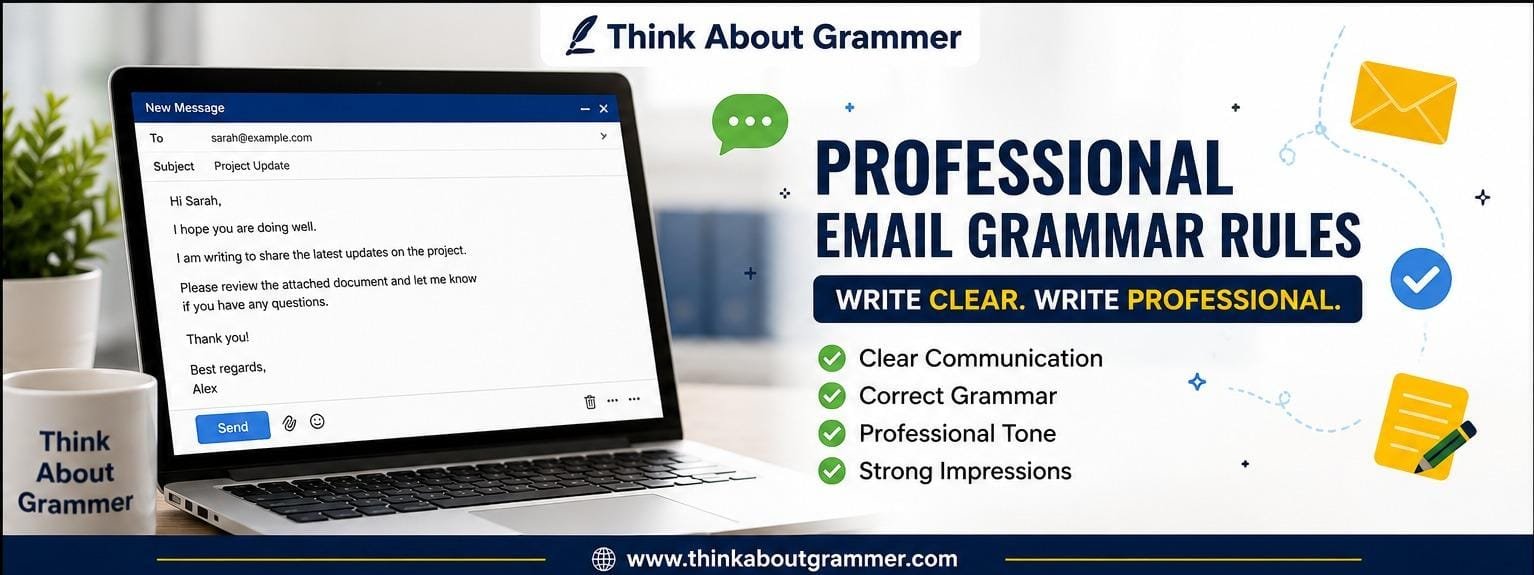
Writing a professional email is about more than choosing formal words. Good grammar, clear sentences, proper punctuation, and a logical structure can make your message easier to understand and more credible.
- Why Grammar Matters in Professional Emails
- The Most Important Professional Email Grammar Rules
- 1. Write Complete Sentences
- 2. Keep Subject and Verb Agreement Correct
- 3. Use the Correct Verb Tense
- 4. Use Pronouns Clearly
- How to Use Punctuation in Professional Emails
- Capitalization Rules for Professional Emails
- Avoid Sentence Fragments
- Avoid Run-On Sentences
- Use Active Voice When Appropriate
- Choose Professional but Natural Words
- Use Articles Correctly
- Use Prepositions Carefully
- Be Careful With Apostrophes
- Use Polite Language for Requests
- How to Write Professional Email Greetings
- How to Write a Clear Email Opening
- Keep One Main Idea Per Paragraph
- Use Bullet Points for Multiple Items
- Common Grammar Mistakes in Professional Emails
- Avoid Ambiguous Language
- Check Subject-Verb Agreement With Collective Nouns
- Use “Please” Naturally
- Know When to Use “Could,” “Would,” and “Can”
- How to End a Professional Email
- Professional Email Grammar Checklist
- A Simple Professional Email Example
- A Before-and-After Example
- How to Proofread a Professional Email
- Step 1: Read the Email Slowly
- Step 2: Check the Main Facts
- Step 3: Check Grammar and Punctuation
- Step 4: Remove Unnecessary Words
- Step 5: Read It From the Recipient’s Perspective
- Should Professional Emails Always Be Formal?
- What Makes an Email Sound Professional?
- Conclusion
Whether you are emailing a manager, client, teacher, customer, coworker, recruiter, or business partner, small grammar mistakes can change how your message is perceived. The good news is that you do not need advanced grammar knowledge to write better emails. A few practical rules can make a noticeable difference.
In this guide, we will cover the most important professional email grammar rules, explain common mistakes in simple language, and provide practical examples you can use in everyday communication.
Why Grammar Matters in Professional Emails
Professional emails often represent you when you are not there to explain what you meant. A poorly written sentence can make a simple request sound confusing, rushed, or even rude.
Good grammar helps you:
- Communicate your meaning clearly
- Avoid misunderstandings
- Make your emails easier to read
- Present yourself professionally
- Build trust with clients and colleagues
- Make requests and instructions more precise
Grammar does not mean making every email complicated. In fact, professional writing is usually stronger when it is simple and direct.
The Most Important Professional Email Grammar Rules
There are several grammar principles that are especially useful in workplace and business emails. Let’s look at them one by one.
1. Write Complete Sentences
A professional email should generally use complete sentences rather than sentence fragments.
Incorrect:
Please send the updated report. By Friday.
The second part is a fragment.
Better:
Please send the updated report by Friday.
Complete sentences make your message sound more polished and natural.
2. Keep Subject and Verb Agreement Correct
The subject and verb should agree in number.
Incorrect:
The documents is attached.
Correct:
The documents are attached.
Another example:
Incorrect:
The client need more information.
Correct:
The client needs more information.
This is a small grammatical detail, but repeated errors can make professional writing look careless.
3. Use the Correct Verb Tense
Choose a tense that accurately communicates when something happened or will happen.
Incorrect:
I send the report yesterday.
Correct:
I sent the report yesterday.
For an action that is happening now:
I am reviewing the report.
For a future action:
I will send the report tomorrow.
Be especially careful when discussing deadlines, completed tasks, meetings, and ongoing projects.
4. Use Pronouns Clearly
Pronouns such as he, she, it, they, and this should clearly refer to something in the sentence.
Unclear:
The manager spoke with the designer after they received the report.
Who received the report—the manager or the designer?
Clearer:
The manager spoke with the designer after the designer received the report.
Clarity is more important than making a sentence as short as possible.
How to Use Punctuation in Professional Emails
Punctuation helps readers understand your sentences. You do not need complicated punctuation, but you should use basic marks correctly.
Commas
Use commas to separate items in a list and to make longer sentences easier to understand.
Example:
Please review the proposal, budget, and timeline before Friday.
A comma can also separate an introductory phrase:
After reviewing the document, I noticed two errors.
Periods
Use periods to finish complete statements.
Good:
I have attached the revised proposal. Please let me know if you have any questions.
Avoid joining several unrelated ideas into one extremely long sentence.
Question Marks
Use a question mark for a direct question.
Correct:
Could you please confirm the meeting time?
Do not add multiple question marks to a professional email.
Less professional:
Can you send the file today???
Better:
Could you please send the file today?
Exclamation Marks
Exclamation marks are not grammatically wrong, but they should be used sparingly in professional communication.
Instead of:
Thank you so much!!!
Use:
Thank you for your help.
One carefully used exclamation mark may be appropriate in a friendly workplace, but frequent use can make an email appear overly casual.
Capitalization Rules for Professional Emails
Capitalization mistakes are easy to notice.
Capitalize the Beginning of Sentences
Incorrect:
thank you for your message. i will review it today.
Correct:
Thank you for your message. I will review it today.
The pronoun I should always be capitalized.
Capitalize Proper Nouns
Names of people, organizations, cities, countries, and specific products generally require capitalization.
Example:
I will discuss the proposal with Sarah before contacting ABC Solutions.
Common nouns do not normally need capitalization simply because they appear in a professional email.
Avoid Sentence Fragments
A sentence fragment does not express a complete thought.
Fragment:
Regarding the meeting tomorrow.
This does not tell the reader what you mean.
Better:
I am writing regarding tomorrow’s meeting.
Or:
I would like to discuss tomorrow’s meeting.
Fragments can sometimes appear in informal communication, but complete sentences are usually safer for professional emails.
Avoid Run-On Sentences
A run-on sentence incorrectly joins multiple independent ideas.
Incorrect:
I reviewed the proposal it looks good but we need to change the pricing section before sending it to the client.
Better:
I reviewed the proposal, and it looks good. However, we need to change the pricing section before sending it to the client.
Breaking long sentences into shorter ones often improves readability.
Use Active Voice When Appropriate
Active voice usually makes professional emails more direct.
Passive:
The report was reviewed by our team.
Active:
Our team reviewed the report.
The passive voice is not grammatically incorrect. It can be useful when the action matters more than the person performing it.
For example:
Your request has been approved.
That sentence is perfectly appropriate when the identity of the person approving the request is not important.
Choose Professional but Natural Words
Professional writing does not require unnecessarily complicated vocabulary.
Instead of:
I am writing to inquire as to whether you would be able to provide the requested information.
A clearer version is:
Could you please provide the requested information?
Simple language is often more effective.
Avoid Overly Casual Expressions
Some expressions may be fine with close coworkers but unsuitable for formal communication.
Casual:
Hey, can you send me that thing ASAP?
Professional:
Hi James, could you please send me the updated document by the end of the day?
The goal is not to sound robotic. It is to match your language to the situation and recipient.
Use Articles Correctly
English articles—a, an, and the—can be difficult, particularly for people who speak English as a second language.
Compare:
I sent a report to the client.
This means one report, not necessarily a specific report already known to the reader.
I sent the report to the client.
This refers to a specific report.
Another example:
We need an updated invoice.
The article an is used because updated begins with a vowel sound.
Use Prepositions Carefully
Prepositions such as in, on, at, for, and to can create common mistakes.
For example:
Incorrect:
I will discuss about the project tomorrow.
Correct:
I will discuss the project tomorrow.
The verb discuss does not normally require about before its object.
Another example:
Incorrect:
I look forward to meet you.
Correct:
I look forward to meeting you.
The phrase look forward to is followed by a noun or the -ing form of a verb.
Be Careful With Apostrophes
Apostrophes are commonly used to show possession or create contractions.
Possession
The client’s request
The manager’s office
For plural possession:
The clients’ requests
Contractions
Contractions such as I’m, we’re, I’ll, and don’t are grammatically correct.
However, in particularly formal emails, you may prefer:
I am writing to confirm the meeting.
instead of:
I’m writing to confirm the meeting.
The choice depends on the relationship and level of formality.
Use Polite Language for Requests
Grammar and tone work together. A grammatically correct request can still sound too demanding.
Too direct:
Send me the invoice.
More professional:
Could you please send me the invoice?
Another option:
Would you mind sending me the invoice when you have a chance?
The best choice depends on urgency and your relationship with the recipient.
How to Write Professional Email Greetings
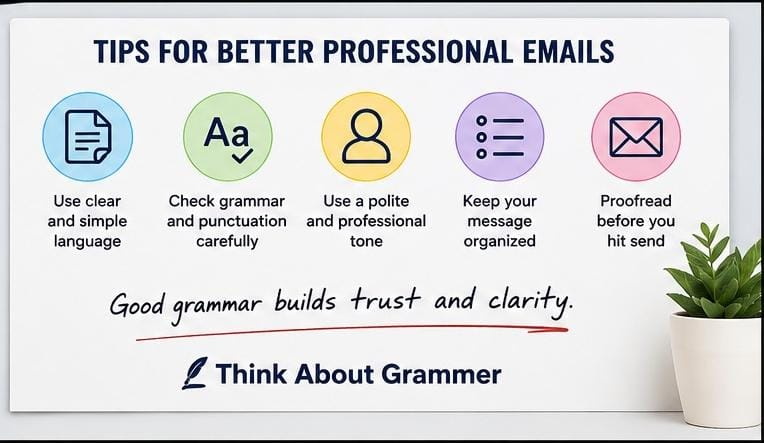
The greeting sets the tone for the entire message.
Formal Greetings
Use greetings such as:
Dear Mr. Ahmed,
Dear Ms. Khan,
Dear Hiring Manager,
Dear Customer Support Team,
Neutral Professional Greetings
For regular workplace communication:
Hello Sarah,
Hi David,
Hello Team,
Hi everyone,
Avoid extremely casual openings when writing to someone you do not know well.
How to Write a Clear Email Opening
Your first sentence should quickly explain why you are writing.
Instead of:
I hope you are doing well. I just wanted to reach out because I was thinking that perhaps we could possibly discuss the project sometime soon.
Use:
I am writing to discuss the next steps for the project.
Another example:
I am following up on the proposal we discussed last week.
A friendly opening is fine, but do not bury the purpose of your email under unnecessary sentences.
Keep One Main Idea Per Paragraph
Large blocks of text are difficult to scan, especially on a phone.
Instead of putting everything into one paragraph, separate your ideas.
For example:
I have reviewed the proposal and made the requested changes.
The updated version is attached for your review.
Please let me know if you would like any additional revisions.
Each paragraph has a clear purpose.
Use Bullet Points for Multiple Items
If you need to communicate several separate points, bullet points can make the email easier to understand.
For example:
Please confirm the following:
- Meeting date
- Meeting time
- Attendee list
- Final agenda
This is often clearer than placing all four items in one long sentence.
Common Grammar Mistakes in Professional Emails
Here are some mistakes worth checking before sending an important email.
| Incorrect | Correct |
|---|---|
| I look forward to meet you. | I look forward to meeting you. |
| Please revert back to me. | Please get back to me. |
| The information are attached. | The information is attached. |
| I have send the document. | I have sent the document. |
| Please discuss about this issue. | Please discuss this issue. |
| He don’t have the details. | He doesn’t have the details. |
| I am agree with you. | I agree with you. |
| Please advice me. | Please advise me. |
| I will explain you the process. | I will explain the process to you. |
| Kindly do the needful. | Please take the necessary action. |
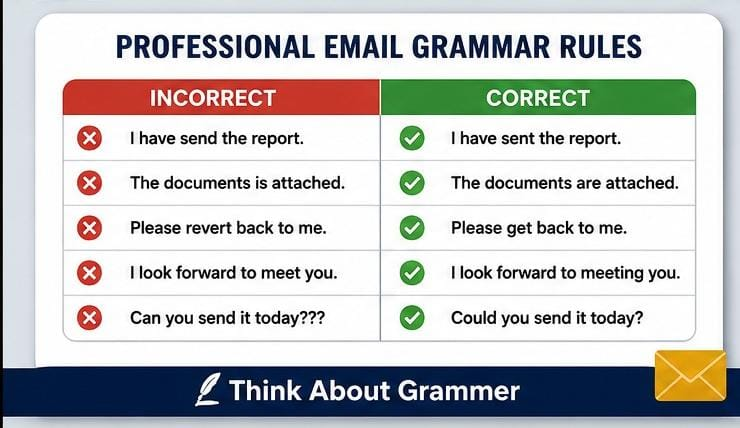
Some expressions may be understood in certain varieties of English but are less natural in international professional communication. When in doubt, choose simple, widely understood wording.
Avoid Ambiguous Language
A professional email should leave as little room for confusion as possible.
Ambiguous:
Please send it to them when it is ready.
The reader may not know what it or them refers to.
Clearer:
Please send the revised contract to the legal team when it is ready.
Specific nouns often make an email much easier to understand.
Check Subject-Verb Agreement With Collective Nouns
Collective nouns can sometimes cause confusion.
For example:
The team is reviewing the proposal.
In standard American English, a team is commonly treated as a singular unit.
In some varieties of British English, collective nouns may sometimes take plural verbs depending on whether the group is being considered as individuals.
For international business communication, consistency and clarity matter more than forcing complicated grammar rules into every sentence.
Use “Please” Naturally
“Please” is useful for polite requests, but it does not need to appear in every sentence.
Good:
Please review the attached document and let me know if you have any questions.
Avoid repeatedly writing:
Please review this. Please check that. Please send this. Please confirm that.
Combine related requests when possible.
Know When to Use “Could,” “Would,” and “Can”
These words can all appear in professional requests, but the tone can differ.
Can you send the document?
Direct and normal.
Could you send the document?
Polite and commonly used in professional emails.
Would you be able to send the document?
More indirect and often useful when making a formal request.
You do not need to make every request extremely formal. Choose wording that fits the relationship and situation.
How to End a Professional Email
Your closing should match the tone of the message.
Common professional closings include:
Best regards,
Kind regards,
Regards,
Sincerely,
For a more casual professional relationship:
Best,
Thanks,
Thank you,
Follow the closing with your name.
Professional Email Grammar Checklist
Before sending an important email, take a quick review.
Grammar
- Check subject-verb agreement.
- Check verb tenses.
- Look for missing articles.
- Check pronouns for clarity.
- Correct sentence fragments.
- Break up run-on sentences.
Punctuation
- Check commas and periods.
- Remove unnecessary exclamation marks.
- Check apostrophes.
- Make sure questions have question marks.
Clarity
- State the purpose early.
- Use specific nouns instead of vague words.
- Keep paragraphs short.
- Use bullet points when appropriate.
- Make deadlines and requests clear.
Tone
- Use polite language.
- Avoid unnecessary slang.
- Avoid sounding demanding.
- Match the level of formality to the recipient.
A Simple Professional Email Example
Here is an example that puts these rules together:
Subject: Updated Project Proposal
Hi Sarah,
I have reviewed the project proposal and made the requested changes.
The updated version is attached for your review. Please let me know if you have any additional feedback.
Could you please confirm whether we can proceed with the revised version by Friday?
Best regards,
Alex
Notice that the email is short, but it still includes a clear subject, greeting, purpose, useful details, polite request, and professional closing.
A Before-and-After Example
Before
Hi,
I am sending you the report which you asked me yesterday and I have also made some changes in it please check it and let me know if everything is okay and if you need any more changes.
Thanks!!!
After
Hi Sarah,
I have attached the report you requested yesterday. I also made the requested changes.
Please review the updated version and let me know if you would like any further revisions.
Thanks,
Alex
The second version is easier to read because it uses shorter sentences, correct punctuation, specific wording, and a professional tone.
How to Proofread a Professional Email
Do not rely entirely on your email application’s spell checker. Spell check can identify many spelling errors, but it may not recognize a grammatically incorrect sentence.
Use this simple process:
Step 1: Read the Email Slowly
Look for missing words, awkward sentences, and unclear phrases.
Step 2: Check the Main Facts
Confirm:
- Names
- Dates
- Times
- Attachments
- Deadlines
- Links
- Numbers
Step 3: Check Grammar and Punctuation
Look specifically for subject-verb agreement, verb tense, articles, prepositions, commas, and sentence fragments.
Step 4: Remove Unnecessary Words
If a sentence can be made shorter without losing meaning, simplify it.
For example:
I am writing this email to let you know that I wanted to inform you that the meeting has been postponed.
Better:
The meeting has been postponed.
Step 5: Read It From the Recipient’s Perspective
Ask yourself:
Would someone who knows nothing about this situation understand my email?
If not, add the missing context.
Should Professional Emails Always Be Formal?
No. Professional does not necessarily mean extremely formal.
A message to a close coworker can naturally sound different from an email to a new client or senior executive.
Compare:
Hi Mark, could you send me the latest numbers when you have a chance?
with:
Dear Mr. Wilson, could you please provide the latest financial figures at your earliest convenience?
Both can be appropriate. The right choice depends on the relationship, context, and purpose.
The most effective professional email is usually clear, respectful, and appropriate, rather than unnecessarily formal.
What Makes an Email Sound Professional?
Good professional emails usually share several characteristics:
- They have a clear purpose.
- They use correct grammar.
- They avoid unnecessary words.
- They make requests specific.
- They use a suitable tone.
- They are easy to scan.
- They include relevant information.
- They end with an appropriate closing.
Professional writing is not about trying to impress the reader with sophisticated vocabulary. It is about making communication easy.
FAQ About Professional Email Grammar Rules
What are the most important professional email grammar rules?
The most important rules include using complete sentences, maintaining subject-verb agreement, choosing the correct verb tense, using punctuation properly, avoiding sentence fragments and run-ons, and keeping your wording clear and professional.
Should professional emails be formal?
Not always. The appropriate level of formality depends on the recipient and situation. A client or hiring manager may require a more formal tone, while an email to a familiar coworker can be more conversational.
Is it okay to use contractions in professional emails?
Yes. Contractions such as I’m, we’re, and I’ll are grammatically correct and common in professional communication. For particularly formal messages, you may choose to write the full forms instead.
How long should a professional email be?
There is no universal word limit. A good email should contain enough information to accomplish its purpose without unnecessary detail. If the message becomes lengthy, consider using headings, bullet points, or a separate document.
Should I use “Dear” in every professional email?
No. “Dear” is appropriate for formal communication, but “Hi” or “Hello” can be perfectly professional in many workplace situations.
How can I make my professional emails clearer?
State your purpose early, use short paragraphs, choose specific words, avoid unnecessary jargon, separate different ideas, and make requests or deadlines explicit.
Is “Please revert back to me” grammatically correct?
“Revert” traditionally means to return to a previous state, so using it to mean “reply” can sound unnatural in many forms of international English. “Please get back to me” or “Please reply” is clearer.
Should I use a grammar checker before sending an email?
A grammar checker can be useful, especially for catching spelling, punctuation, and grammatical errors. However, you should still read the email yourself because software may not understand the intended meaning or tone.
Conclusion
Following professional email grammar rules does not mean making every message formal, complicated, or long. The real goal is to communicate clearly and respectfully.
Use complete sentences, correct verb forms, appropriate punctuation, clear pronouns, and professional wording. Keep paragraphs manageable, make requests specific, and always proofread important messages before sending them.
The best habit is simple: write for the reader. If your recipient can quickly understand what you mean, what you need, and what they should do next, your email is doing its job.