

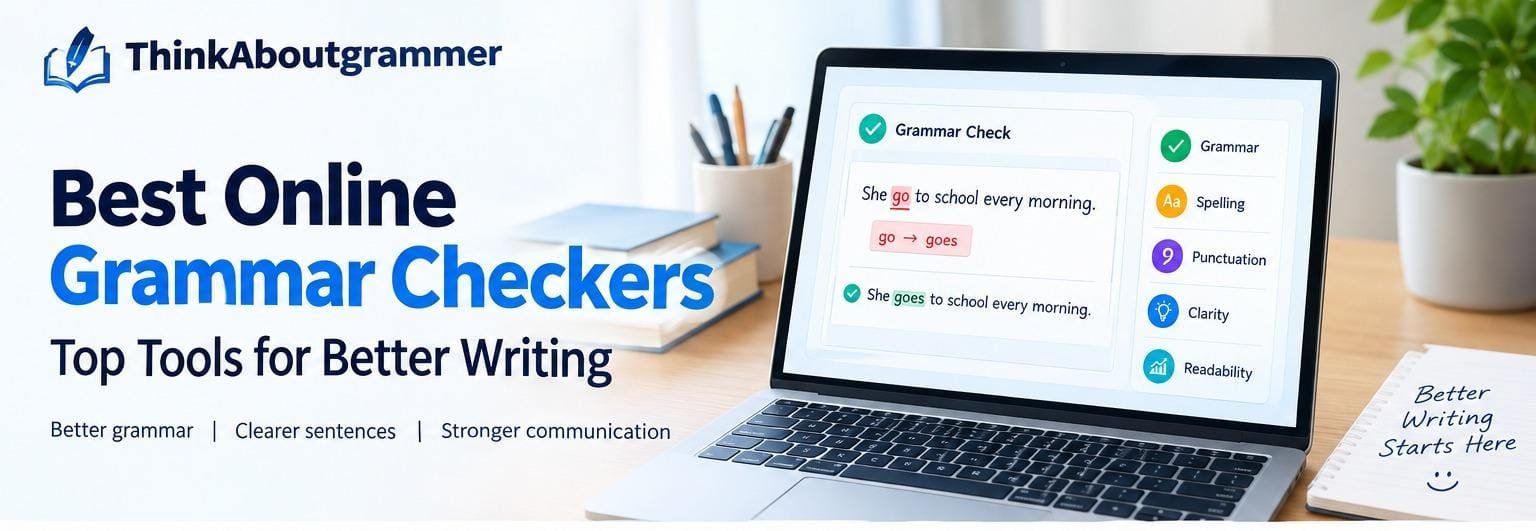
Writing clearly is harder than it looks. A sentence can sound fine when you read it quickly but still contain a misplaced comma, incorrect verb tense, awkward wording, or a subject-verb agreement error.
- What Is an Online Grammar Checker?
- Why Use an Online Grammar Checker?
- 1. It Catches Small Errors
- 2. It Saves Editing Time
- 3. It Helps You Learn Grammar
- 4. It Improves Professional Communication
- What Makes the Best Online Grammar Checkers?
- Best Online Grammar Checkers Compared
- Quick Comparison of Grammar Checkers
- How to Choose the Best Grammar Checker for You
- Best for Students
- Best for Professional Emails
- Best for Bloggers and Content Writers
- Best for Multilingual Writers
- Grammar Errors Online Checkers Commonly Find
- Grammar Checker vs. Spell Checker: What’s the Difference?
- Can Grammar Checkers Replace Proofreading?
- How to Use a Grammar Checker Effectively
- Step 1: Write Your First Draft
- Step 2: Run a Grammar Check
- Step 3: Read Every Suggestion
- Step 4: Read the Paragraph Again
- Step 5: Proofread Manually
- Don’t Accept Every Suggested Change
- Common Mistakes People Make When Using Grammar Checkers
- Are Free Grammar Checkers Good Enough?
- What Should You Look for in a Free Grammar Checker?
- Grammar Checker Tips for Better Writing
- Read Your Writing Aloud
- Keep Sentences Focused
- Learn From Repeated Corrections
- Don’t Chase a Perfect Score
- When Should You Use an Online Grammar Checker?
- Conclusion: Choosing the Best Online Grammar Checkers
That is where online grammar checkers can help.
The best online grammar checkers do more than point out spelling mistakes. They can identify grammar problems, punctuation errors, unclear sentences, repeated words, and other issues that may weaken your writing. Some tools are designed for students, while others are better suited to emails, professional documents, essays, or everyday writing.
But which grammar checker should you actually use?
The answer depends on what you write, how much assistance you need, and whether you want simple corrections or more detailed writing suggestions. In this guide, we will look at the key features to consider, compare popular options, explain their strengths and limitations, and show you how to use a grammar checker without becoming dependent on it.
What Is an Online Grammar Checker?
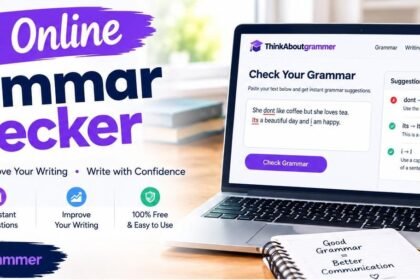
An online grammar checker is a web-based tool that reviews written text for possible language errors.
Depending on the tool, it may check:
- Grammar
- Spelling
- Punctuation
- Sentence structure
- Word usage
- Verb agreement
- Capitalization
- Repetition
- Clarity
- Tone and style
For example:
Incorrect:
She go to school every morning.
Correct:
She goes to school every morning.
A grammar checker can identify the disagreement between the subject “She” and the verb “go.”
However, grammar checkers are not perfect. They analyze language based on rules, patterns, and context, so a suggestion can occasionally be inappropriate. That is why a good grammar checker should be treated as a writing assistant rather than an automatic replacement for proofreading.
Why Use an Online Grammar Checker?
Even strong writers make mistakes. When you have been working on the same paragraph for a long time, your brain may automatically read what you intended instead of what is actually on the page.
A grammar checker provides another layer of review.
1. It Catches Small Errors
A missed comma or incorrect verb ending may seem minor, but repeated mistakes can make writing look careless.
2. It Saves Editing Time
Instead of manually searching every sentence for possible errors, you can use a checker to highlight areas that deserve attention.
3. It Helps You Learn Grammar
The best tools explain why something may be wrong. Over time, seeing the same correction repeatedly can help you recognize the underlying grammar rule.
4. It Improves Professional Communication
Emails, applications, reports, presentations, and business documents all benefit from clear writing.
Compare:
Before:
I am writing this email to inform you that the meeting have been moved to Friday.
After:
I am writing this email to inform you that the meeting has been moved to Friday.
The second version is more polished because “meeting” is singular, so it requires “has,” not “have.”
What Makes the Best Online Grammar Checkers?
Not every grammar checker offers the same experience. A useful tool should do more than underline random words.
Here are the most important features to consider.
| Feature | Why It Matters |
|---|---|
| Grammar checking | Finds common grammatical errors |
| Spelling correction | Catches misspelled words |
| Punctuation checking | Helps identify comma and punctuation problems |
| Context awareness | Considers the meaning of the sentence |
| Explanations | Helps you understand corrections |
| Style suggestions | Can improve clarity and readability |
| Ease of use | Makes proofreading faster |
| Browser access | Useful when writing online |
| Multiple writing formats | Helpful for essays, emails, reports, and more |
| Privacy information | Important when checking sensitive text |
A tool that detects errors but gives no useful explanation may be less valuable for students and people trying to improve their grammar.
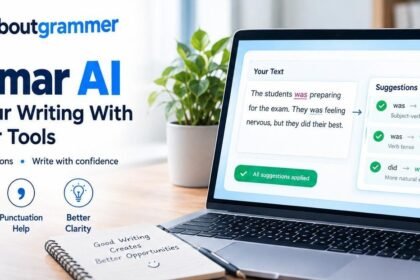
Grammar AI tools can also help writers identify and understand common writing problems.
Best Online Grammar Checkers Compared
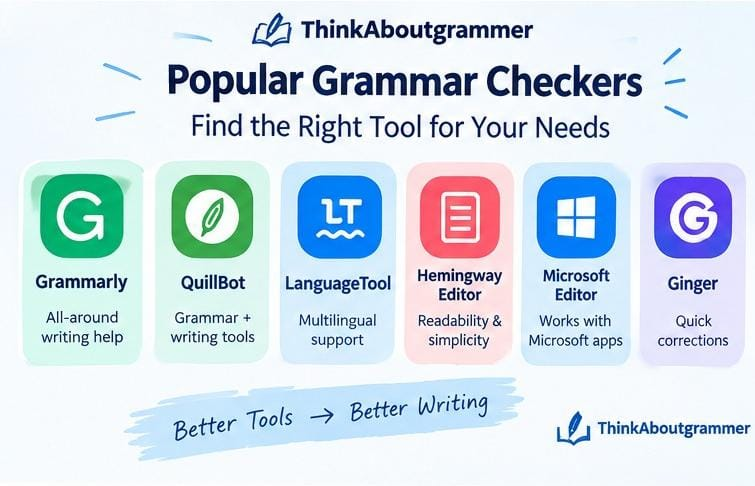
There is no single grammar checker that is perfect for everyone. Different tools are useful for different writing situations.
Here are several well-known options worth considering.
Grammarly
Grammarly is one of the most recognizable online writing assistants. It focuses on grammar, spelling, punctuation, clarity, and other aspects of written communication.
It can be useful for:
- Emails
- School assignments
- Articles
- Professional documents
- Everyday online writing
One of its biggest advantages is its straightforward interface. Instead of requiring you to understand complicated grammar terminology before making a correction, it presents suggestions in an accessible way.
However, writers should still review each recommendation rather than accepting every suggestion automatically.
QuillBot Grammar Checker
It can be useful when you want to review text and then make additional improvements to wording or sentence construction. QuillBot Grammar can be particularly useful for writers who want grammar checking to be part of a broader writing workflow.
It can be useful when you want to review text and then make additional improvements to wording or sentence construction.
For example:
Original:
The results was not what the researchers expected.
Corrected:
The results were not what the researchers expected.
The subject “results” is plural, so the plural verb “were” is required.
QuillBot can be particularly useful for writers who want grammar checking to be part of a broader writing workflow.
LanguageTool
LanguageTool is another popular option for checking grammar, spelling, punctuation, and style.
It is particularly useful for people who write in multiple languages because its language support is broader than a tool designed exclusively around English.
It can help identify errors such as:
Incorrect:
He don’t know the answer.
Correct:
He doesn’t know the answer.
The correct form uses “doesn’t” because the subject is “he.”
LanguageTool can be a practical choice for multilingual writers and people who want more than basic spell checking.
Hemingway Editor
Hemingway Editor approaches writing from a slightly different direction.
Instead of focusing exclusively on grammar, it emphasizes readability and sentence construction. It can help writers notice overly complicated sentences, excessive passive voice, and other readability concerns.
Consider this sentence:
Due to the fact that the weather conditions were unfavorable, the team made the decision to postpone the event.
A simpler version is:
Because the weather was unfavorable, the team postponed the event.
The second sentence communicates the same idea with fewer words.
This type of editing is useful when your grammar is technically correct but your writing still feels difficult to read.
Microsoft Editor
Microsoft Editor provides writing assistance within Microsoft’s ecosystem and can help users review spelling, grammar, and style.
It can be convenient for people who already write documents or emails using Microsoft products.
Its main advantage is convenience: you can incorporate writing checks into a workflow you already use instead of moving between several different platforms.
Ginger
Ginger is another writing assistant that focuses on grammar and sentence correction.
It can help identify common mistakes and suggest alternative wording.
For everyday writing, tools like this can be useful because they provide a quick second look before you submit or publish something.
Quick Comparison of Grammar Checkers
The right option depends on your purpose rather than simply choosing the tool with the longest feature list.
| Grammar Checker | Best For | Main Strength |
|---|---|---|
| Grammarly | Everyday and professional writing | Broad writing assistance |
| QuillBot | Writing and rewriting workflows | Grammar plus writing tools |
| LanguageTool | Multilingual writing | Language and grammar support |
| Hemingway Editor | Readability | Simpler, clearer sentences |
| Microsoft Editor | Microsoft users | Convenient writing assistance |
| Ginger | Everyday proofreading | Grammar and sentence suggestions |
Features, availability, and pricing can change over time, so check the provider’s current information before choosing a tool for long-term use.
How to Choose the Best Grammar Checker for You
Instead of asking, “Which grammar checker is number one?” ask a more useful question:
“Which grammar checker fits the way I write?”
Best for Students
Students often need help with grammar, punctuation, sentence structure, and academic writing.
A useful checker should explain errors rather than simply replacing them. Understanding why a sentence is incorrect is more valuable than clicking “accept” without learning anything.
For example:
Incorrect:
The experiment were successful.
Correct:
The experiment was successful.
The subject “experiment” is singular, so the singular verb “was” is required.
Best for Professional Emails
Professional emails require accuracy without sounding unnecessarily complicated. Professional Email Grammar Rules
A grammar checker can help catch mistakes before an important message reaches a manager, teacher, client, or colleague.
For example:
Weak:
I just wanted to let you know that we have receive your documents.
Better:
I wanted to let you know that we have received your documents.
The second version removes unnecessary wording and fixes the incorrect verb form.
Best for Bloggers and Content Writers
Bloggers need more than perfect grammar. Their writing also needs to be readable and engaging.
A grammar checker can identify errors, while a readability-focused tool can help shorten complicated sentences.
Consider:
There are many different reasons why online grammar checkers can be useful for writers who are looking for ways in which they can improve their written communication.
A cleaner version is:
Online grammar checkers can help writers improve their communication.
The second sentence gets to the point much faster.
Best for Multilingual Writers
If English is not your first language, look for a checker that provides useful explanations and supports the languages you work with.
A good tool can help you recognize patterns that repeatedly cause problems, such as articles, prepositions, verb tenses, and word order.
Grammar Errors Online Checkers Commonly Find
Understanding common errors makes grammar checkers more useful because you can learn from their suggestions.
Subject-Verb Agreement
The subject and verb must agree in number.
Incorrect:
The list of tasks are long.
Correct:
The list of tasks is long.
The subject is “list,” not “tasks.”
Verb Tense Errors
Verb tense should match the time of the action.
Incorrect:
Yesterday, I go to the library.
Correct:
Yesterday, I went to the library.
Because the action happened yesterday, the past tense “went” is appropriate.
Apostrophe Errors
Apostrophes are frequently misused.
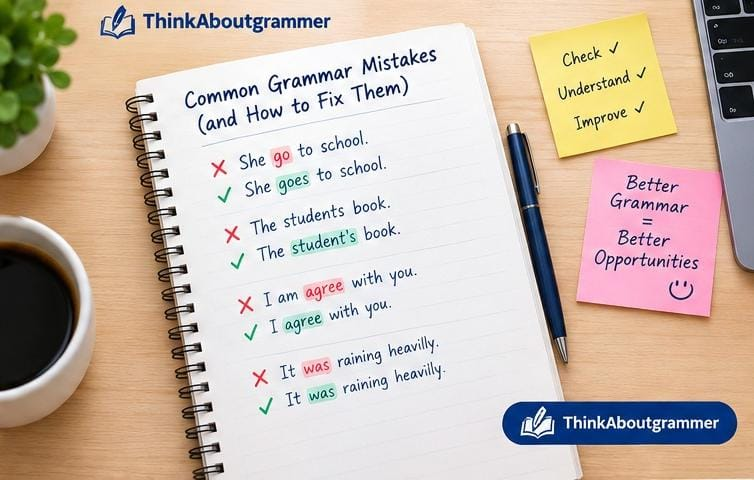
Incorrect:
The students book is on the desk.
Correct:
The student’s book is on the desk.
Here, the apostrophe indicates possession.
Comma Errors
Commas can separate ideas and improve readability, but they should not be inserted randomly.
Incorrect:
After finishing the assignment I checked my answers.
Correct:
After finishing the assignment, I checked my answers.
The introductory phrase is separated from the main clause with a comma.
Pronoun Agreement
Pronouns should agree appropriately with their antecedents.
Incorrect:
Every student should bring their pencil to class.
In formal writing, depending on the intended style, you might instead write:
All students should bring their pencils to class.
This avoids the singular/plural mismatch while keeping the sentence natural.
Grammar Checker vs. Spell Checker: What’s the Difference?
A spell checker primarily looks for incorrectly spelled words.
A grammar checker goes further.
For example:
She have a new laptop.
Every word in this sentence may be spelled correctly, but the sentence still contains a grammatical error.
A spell checker may not identify the problem because “she,” “have,” “a,” “new,” and “laptop” are all correctly spelled.
A grammar checker can recognize that “she” normally requires “has.”
So:
Spell checking:
“Is each word spelled correctly?”
Grammar checking:
“Does the sentence work correctly according to grammar and context?”
Both are useful, but they solve different problems.
Can Grammar Checkers Replace Proofreading?
No.
Grammar checkers are helpful, but human proofreading still matters.
Language is complicated. A sentence may be grammatically unusual but completely appropriate in context. A checker can also misunderstand what you are trying to say.
For example:
The students watched the teacher with binoculars.
Who has the binoculars?
The sentence is grammatically possible, but its meaning is ambiguous.
A grammar checker may not fully solve that problem because the issue is not necessarily grammar. It is clarity.
A human reader can ask:
Who was holding the binoculars?
You might rewrite it as:
Using binoculars, the students watched the teacher.
Or:
The students watched the teacher, who was holding binoculars.
The best proofreading process combines automated suggestions with human judgment.
How to Use a Grammar Checker Effectively
Don’t simply paste your writing into a tool and accept every correction.
Use a simple process instead.
Step 1: Write Your First Draft
Get your ideas onto the page before worrying about every comma.
Trying to produce a perfect first draft can slow you down.
Step 2: Run a Grammar Check
Look for grammar, spelling, punctuation, and sentence-level issues.
Step 3: Read Every Suggestion
Don’t automatically accept everything.
Ask yourself:
- Is the suggestion correct?
- Does it preserve my intended meaning?
- Does it fit the tone of my writing?
- Is the original sentence actually wrong?
Step 4: Read the Paragraph Again
After making corrections, read the entire paragraph instead of looking only at individual sentences.
Step 5: Proofread Manually
Look specifically for names, numbers, dates, links, facts, formatting, and awkward wording.
Don’t Accept Every Suggested Change
This is one of the most important grammar-checker lessons.
Automated tools make suggestions based on patterns. They do not always understand your exact intention.
For example:
The movie was pretty good.
A writing assistant might suggest replacing “pretty” with something more precise.
But if you’re writing a casual review, the original sentence may be perfectly appropriate.
The goal isn’t to make every sentence sound formal.
The goal is to make every sentence appropriate for its audience and purpose.
Common Mistakes People Make When Using Grammar Checkers
Relying on the Tool Too Much
If you accept every correction without understanding it, your writing skills may not improve.
Use corrections as learning opportunities.
Ignoring Context
A suggested replacement might technically fit the grammar but change your meaning.
Always read the complete sentence after making a change.
Making Writing Too Formal
Not every piece of writing needs sophisticated vocabulary.
Simple English is often stronger English.
Wordy:
We would like to kindly request that you provide us with the information at your earliest possible convenience.
Simpler:
Please send us the information when you can.
The second sentence is direct and easy to understand.
Checking Only Grammar
A grammatically correct article can still be boring, confusing, repetitive, or poorly organized.
Good writing requires more than correct grammar.
You should also review:
- Structure
- Logic
- Readability
- Word choice
- Tone
- Repetition
- Accuracy
Are Free Grammar Checkers Good Enough?
For many everyday writing tasks, a free grammar checker can be useful.
If you mainly need help catching obvious spelling, punctuation, and grammar errors, you may not need an advanced subscription.
However, more advanced writing assistance can be useful for people who regularly work with long documents, professional content, academic writing, or complex editing requirements.
The important thing is to evaluate the tool based on your actual needs rather than assuming a paid product is automatically better for your situation.
What Should You Look for in a Free Grammar Checker?
If you’re specifically looking for a free option, pay attention to the quality of its core features.
A useful free checker should ideally provide:
- Basic grammar checking
- Spelling correction
- Punctuation suggestions
- Clear explanations
- Easy text input
- Readable correction suggestions
- Reasonable privacy information
You should also check whether the free version has limits on text length, features, or usage.
Grammar Checker Tips for Better Writing
A grammar checker becomes much more useful when combined with good writing habits.
Read Your Writing Aloud
Reading aloud forces you to process each word rather than scanning the sentence visually.
You may notice awkward phrasing that an automated tool doesn’t flag.
Keep Sentences Focused
If one sentence contains four or five separate ideas, consider splitting it.
Too complicated:
The company launched the product last month, which was designed for students, and although early customers liked the features, some users reported problems with the setup process, which the company said it was working to improve.
Clearer:
The company launched the product last month for students. Early customers liked its features, but some reported problems with setup. The company said it was working on improvements.
Shorter sentences are not always better, but focused sentences are usually easier to understand.
Learn From Repeated Corrections
If a checker repeatedly flags the same type of error, don’t just fix it.
Learn the rule.
For example, if you repeatedly confuse “its” and “it’s,” spend a few minutes learning the difference.
Its shows possession:
The company changed its policy.
It’s means “it is” or “it has”:
It’s important to check your work.
Don’t Chase a Perfect Score
Some writing tools provide scores or percentages.
These can be useful indicators, but they aren’t the ultimate measure of writing quality.
A strong article isn’t necessarily the one with the highest automated score. It is the one that communicates its ideas clearly to the intended reader.
When Should You Use an Online Grammar Checker?
There are many situations where a quick grammar check makes sense.
Use one before:
- Sending an important email
- Submitting an essay
- Publishing a blog post
- Updating a resume
- Writing a report
- Posting professional content
- Sending an application
- Creating website copy
- Preparing a presentation
For casual messages between friends, a full grammar review may not be necessary.
The level of proofreading should match the importance of the writing.
Frequently Asked Questions
What is the best online grammar checker?
There is no universal winner. The best option depends on your needs. Grammarly, QuillBot, LanguageTool, Microsoft Editor, Hemingway Editor, and Ginger each approach writing assistance somewhat differently.
Are online grammar checkers accurate?
They can identify many common grammar, spelling, and punctuation problems, but they are not perfect. Always review suggested changes and make sure they preserve your intended meaning.
Can a grammar checker improve my English?
Yes, if you use it as a learning tool. Pay attention to explanations and repeated corrections instead of simply accepting suggestions.
Is a free grammar checker enough?
For basic proofreading, a free tool may be sufficient. Writers with more advanced editing needs may benefit from additional features available in some paid services.
Can grammar checkers detect punctuation mistakes?
Many grammar checkers can identify common punctuation issues, including some comma, apostrophe, and sentence-boundary problems. However, punctuation can depend heavily on context and writing style.
Should students use grammar checkers?
Students can use grammar checkers as proofreading and learning tools. They should still understand their assignments, write their own work, and review suggested corrections carefully.
Can grammar checkers detect unclear writing?
Some tools can identify certain readability and style problems, but clarity is broader than grammar. Human review is still important for determining whether an idea is easy to understand.
How often should I use a grammar checker?
Use one whenever accuracy matters. For important writing, run a grammar check before the final proofreading stage and then manually review the finished text.
Conclusion: Choosing the Best Online Grammar Checkers
The best online grammar checkers are not necessarily the ones with the most features. The right tool is the one that fits your writing goals and helps you become a better writer.
If you need broad grammar and writing assistance, tools such as Grammarly or QuillBot may be useful. LanguageTool can be worth considering for multilingual writing, while Hemingway Editor takes a stronger focus on readability. Microsoft Editor can be convenient for people already working within Microsoft’s writing environment.
Whichever tool you choose, remember one simple rule: don’t let the checker do all the thinking.
Use it to catch mistakes, understand grammar rules, improve clarity, and polish your final draft. Then read your writing yourself.
A grammar checker can point toward a better sentence. You are still the writer who decides what the sentence should say.