

Writing clearly is harder than it looks. A single misplaced comma, confusing sentence, incorrect verb tense, or missing article can make otherwise good writing difficult to understand. This is where grammar AI can help.
- What Is Grammar AI?
- How Does Grammar AI Work?
- What Can Grammar AI Check?
- Grammar AI vs. Traditional Grammar Checkers
- Why Do People Use Grammar AI?
- Common Grammar Problems Grammar AI Can Help Fix
- Grammar AI Cannot Always Get Right
- Should You Accept Every Grammar AI Suggestion?
- How to Use Grammar AI Effectively
- Step 1: Write Your First Draft
- Step 2: Review the Structure
- Step 3: Run a Grammar Check
- Step 4: Check the Meaning
- Step 5: Proofread Manually
- Grammar AI for SEO Content
- Grammar AI for Emails
- Grammar AI for Academic Writing
- Common Mistakes When Using Grammar AI
- Accepting Every Suggestion
- Changing Your Voice
- Ignoring the Explanation
- Using It Instead of Learning Grammar
- A Simple Grammar AI Checklist
- What Makes a Good Grammar AI Tool?
- Is Grammar AI Better Than Manual Proofreading?
- Can Grammar AI Help You Learn English Grammar?
- Grammar AI: Best Practices for Better Writing
- Conclusion
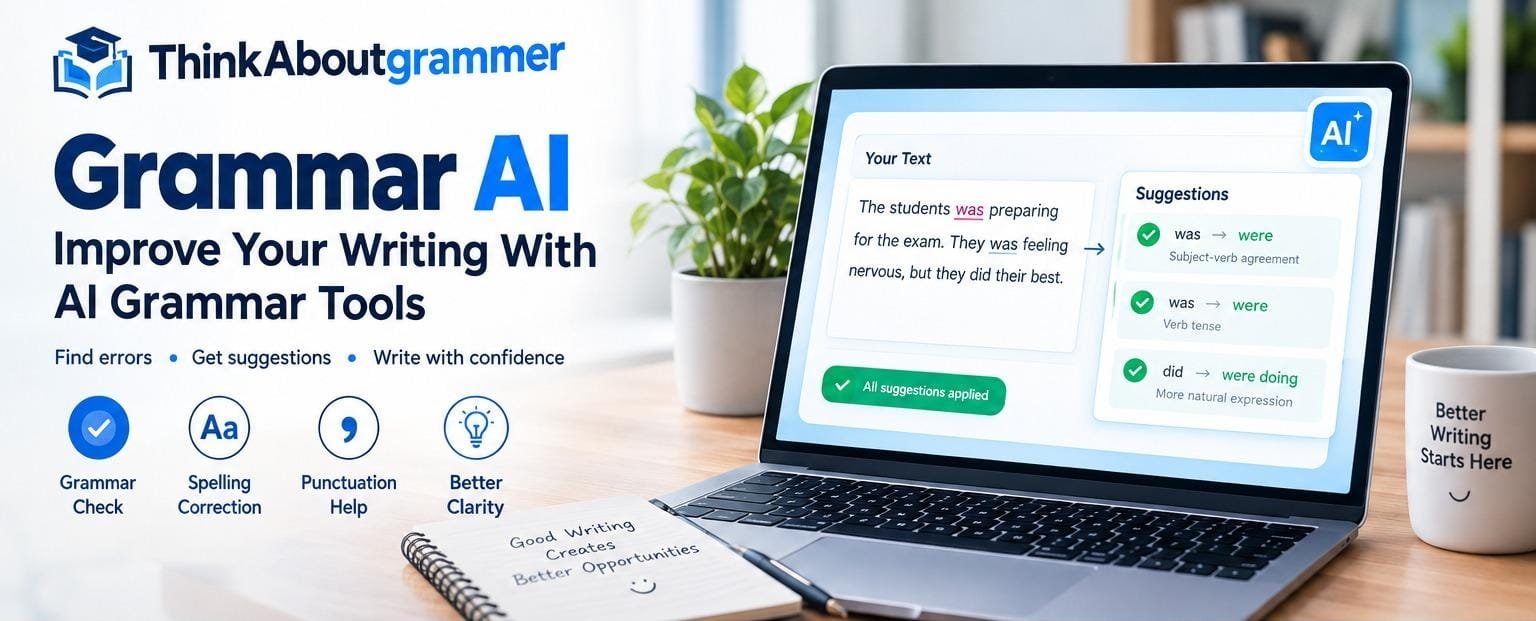
Grammar AI refers to artificial intelligence-powered tools that analyze written text and identify possible grammar, spelling, punctuation, clarity, and style problems. Instead of checking every sentence manually, writers can use these tools to receive suggestions within seconds.
But is grammar AI accurate? Can it replace learning grammar? And how should you use it without making your writing sound unnatural?
This guide answers those questions and explains how grammar AI works, what it can check, where it can make mistakes, and how to use it effectively.
What Is Grammar AI?
Grammar AI is software that uses artificial intelligence and language-processing technology to analyze text and suggest improvements. An AI Writing Assistant can take this process further by helping writers improve grammar, clarity, tone, and overall readability.
Traditional grammar checkers generally depended on predefined rules. For example, a rule might identify a sentence containing a subject-verb agreement problem.
Modern AI-based grammar tools can look at the surrounding context before making a suggestion. This allows them to handle more complicated writing situations.
For example:
| Incorrect | Improved |
|---|---|
| She go to school every day. | She goes to school every day. |
| I have went there before. | I have gone there before. |
| They was waiting outside. | They were waiting outside. |
| He don’t understand the question. | He doesn’t understand the question. |
The goal is not simply to find errors. A good grammar AI tool should help make writing clearer, more accurate, and easier to read.
How Does Grammar AI Work?
Grammar AI combines several language technologies to examine written text.
1. Text Analysis
First, the software breaks your writing into words, sentences, and other language elements.
It examines relationships between words rather than treating every word as an isolated item.
2. Context Recognition
Context is important because the same word can have different meanings.
Consider:
I need to book a hotel.
and:
I read a book yesterday.
The word “book” has different grammatical roles in these sentences. Context helps an AI system understand that difference.
3. Grammar Pattern Detection
The system looks for patterns that may indicate grammatical problems, such as:
- Subject-verb disagreement
- Incorrect verb tense
- Missing articles
- Incorrect pronouns
- Sentence fragments
- Run-on sentences
- Incorrect prepositions
- Punctuation problems
4. Suggested Corrections
After identifying a possible problem, the tool may suggest an alternative.
For example:
Incorrect:
The students was preparing for the exam.
Suggestion:
The students were preparing for the exam.
The writer can then decide whether the recommendation fits the intended meaning.
What Can Grammar AI Check?
A modern grammar AI tool can often help with several areas of writing.
Grammar
Grammar checking is the primary function.
It may identify problems involving:
- Verb agreement
- Verb tense
- Pronouns
- Articles
- Sentence structure
- Modifiers
- Prepositions
Spelling
Grammar AI can also detect common spelling mistakes.
Incorrect:
The weather was beautifull.
Correct:
The weather was beautiful.
Some tools can also recognize when a correctly spelled word is inappropriate for the context.
Punctuation
Punctuation affects how readers interpret a sentence.
For example:
Less effective:
After finishing the assignment the student went home.
Improved:
After finishing the assignment, the student went home.
The comma helps separate the introductory phrase from the main clause.
Clarity
Sometimes a sentence is grammatically correct but difficult to understand.
For example:
The manager discussed the project with the employee who had been delayed.
The sentence may leave readers wondering who was delayed.
A grammar AI tool may suggest restructuring the sentence for greater clarity.
Style
Some tools also identify stylistic issues such as:
- Excessive wordiness
- Repeated words
- Weak phrasing
- Overly complicated sentences
- Inconsistent tone
However, style suggestions are subjective, so writers should evaluate them carefully.
Grammar AI vs. Traditional Grammar Checkers
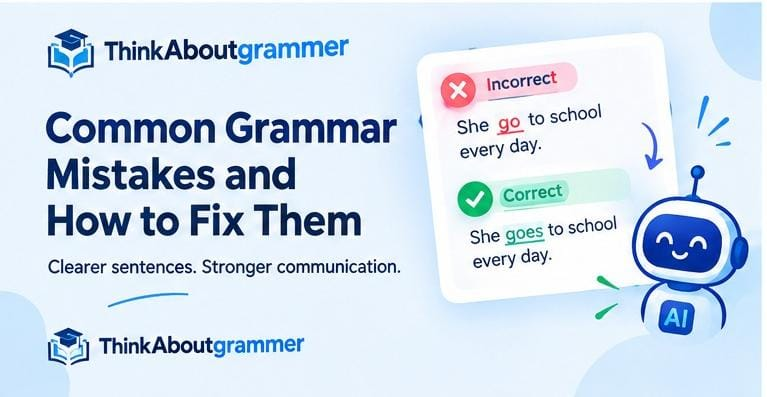
The biggest difference is how the tools analyze language.
Traditional systems often rely heavily on fixed rules. AI-powered systems can use broader linguistic context and statistical or machine-learning models.
| Feature | Traditional Checker | Grammar AI |
|---|---|---|
| Spelling | Yes | Yes |
| Basic grammar rules | Yes | Yes |
| Context analysis | Limited | More advanced |
| Style suggestions | Limited | Often available |
| Sentence rewriting | Usually limited | Often available |
| Complex language patterns | Limited | Better suited |
This does not mean every AI grammar tool is automatically better. Accuracy depends on the technology, language, context, and quality of the particular tool.
Different grammar-checking tools use different approaches to analyzing written language. If you want to explore one popular example, our guide to QuillBot Grammar explains how it can help identify and correct common writing errors.
Why Do People Use Grammar AI?
Grammar AI can be useful for many types of writers.
Students
Students can use grammar tools to identify possible errors in essays, assignments, and other writing.
The important point is to learn from the suggestions rather than simply accepting every correction.
For example, if a tool repeatedly flags subject-verb agreement, that pattern can show you an area of grammar that deserves more study.
Bloggers
Bloggers need content that is easy to read and professionally presented.
A grammar checker can provide a final review before publication.
Professionals
Emails, reports, proposals, and presentations often need polished language.
Grammar AI can help catch small errors that are easy to overlook during manual proofreading.
English Learners
People learning English can use grammar AI as an additional learning aid.
Seeing a sentence corrected can help learners recognize patterns and understand how English grammar works.
Common Grammar Problems Grammar AI Can Help Fix
Understanding common errors is more useful than simply clicking “accept.”
Subject-Verb Agreement
The subject and verb should generally agree in number.
Incorrect:
The report contain several errors.
Correct:
The report contains several errors.
Verb Tense
Tenses should match the intended time.
Incorrect:
Yesterday, I go to the library.
Correct:
Yesterday, I went to the library.
Articles
English uses articles such as a, an, and the in specific ways.
Incorrect:
She bought new laptop.
Correct:
She bought a new laptop.
Pronouns
Pronouns need to clearly refer to the intended person or thing.
Unclear:
When Sarah spoke to Maria, she looked worried.
Who looked worried—Sarah or Maria?
A clearer version might be:
Sarah looked worried when she spoke to Maria.
Run-On Sentences
Two independent clauses should not simply be joined without appropriate punctuation or a conjunction.
Incorrect:
I finished my work I went outside.
Correct:
I finished my work, and I went outside.
Or:
I finished my work. Then I went outside.
Grammar AI Cannot Always Get Right
AI grammar suggestions are helpful, but they are not perfect.
Language is complicated, and some sentences depend on meaning, audience, tone, or context.
Intent Matters
Consider:
That was sick!
In casual English, “sick” can mean something impressive or exciting. A basic checker might interpret it differently.
Creative Writing Is Different
Writers sometimes intentionally break conventional grammar to create a particular effect.
A short story, poem, advertisement, or dialogue may use unusual sentence structures deliberately.
In such cases, a correction is not necessarily an improvement.
Different English Varieties
English has multiple accepted varieties, including:
- American English
- British English
- Canadian English
- Australian English
Some spelling and usage differences are perfectly acceptable.
For example:
color
and:
colour
are both correct in their respective varieties.
Should You Accept Every Grammar AI Suggestion?
No.
Treat grammar AI as an assistant rather than an unquestionable authority.
Before accepting a suggestion, ask:
- Does the correction preserve my intended meaning?
- Does it fit the surrounding sentence?
- Does it match my audience?
- Does it sound natural?
- Is the original wording intentionally written that way?
If the answer is no, you may want to keep the original sentence.
How to Use Grammar AI Effectively
A simple workflow can make grammar checking much more useful.
Step 1: Write Your First Draft
Do not interrupt every sentence to check grammar.
Get your ideas onto the page first.
Step 2: Review the Structure
Before focusing on commas and spelling, check whether your ideas are organized logically.
Ask:
- Is the main point clear?
- Does each paragraph have a purpose?
- Are the sections connected?
- Is anything unnecessary?
Step 3: Run a Grammar Check
Now use grammar AI to identify potential problems.
Review each suggestion rather than accepting everything automatically.
Step 4: Check the Meaning
Read the revised sentence yourself.
AI can identify a possible grammatical improvement while accidentally changing the meaning you intended.
Step 5: Proofread Manually
Finally, read the complete piece without relying on the tool.
A human review is especially valuable for names, facts, tone, context, and unusual expressions.
Grammar AI for SEO Content
Grammar AI can also support SEO writing, but grammar should never be sacrificed for keywords.
Search engines and readers both benefit from content that is clear and useful.
For example, instead of forcing a keyword into an awkward sentence:
Grammar AI is a grammar AI tool for grammar AI users.
A natural sentence would be:
Grammar AI tools can help writers identify grammatical errors and improve sentence clarity.
The second version communicates the topic naturally without unnecessary repetition.
Keep Keywords Natural
When optimizing content, focus on:
- Search intent
- Helpful information
- Clear headings
- Natural keyword usage
- Readability
- Accurate explanations
- Useful examples
A grammar checker can improve the language, but it cannot replace good SEO strategy.
Grammar AI for Emails
Emails often contain small errors because people write them quickly.
Consider:
Before:
Hi John,
I am writing to ask if you can send me the report which we discussed yesterday because I need it for the meeting tomorrow.
A clearer version could be:
Hi John,
Could you please send me the report we discussed yesterday? I need it for tomorrow’s meeting.
The second version is shorter and easier to scan.
Grammar AI for Academic Writing
Academic writing requires particular attention to clarity, evidence, structure, and formal language.
Grammar AI can help with surface-level language issues, but it should not replace proper research or critical thinking.
For academic work, always check:
- Whether claims are supported
- Whether sources are properly cited
- Whether terminology is accurate
- Whether the argument makes sense
- Whether your institution has rules about AI-assisted writing
Grammar correction and academic integrity are separate issues.
Common Mistakes When Using Grammar AI
Accepting Every Suggestion
An AI suggestion is a recommendation, not an automatic fact.
Always consider the context.
Changing Your Voice
If every sentence is rewritten to sound overly formal, your writing may lose its natural personality.
Good writing does not have to sound complicated.
Ignoring the Explanation
When a tool explains why something may be wrong, take a moment to understand it.
That turns grammar checking into a learning opportunity.
Using It Instead of Learning Grammar
A tool can fix a sentence today. Understanding the grammar rule can help you avoid the same mistake tomorrow.
A Simple Grammar AI Checklist
Before publishing or submitting your writing, check:
- Subject and verb agree.
- Verb tenses are consistent.
- Pronouns are clear.
- Articles are used appropriately.
- Sentences are complete.
- Commas and other punctuation are appropriate.
- Spelling has been checked.
- Repeated words have been reviewed.
- The writing matches the intended audience.
- AI suggestions have been manually reviewed.
What Makes a Good Grammar AI Tool?
If you are comparing grammar tools, look beyond the number of features.
Consider these factors:
Accuracy
The tool should identify genuine problems without constantly flagging correct writing.
Context Awareness
It should consider the surrounding sentence instead of applying rules mechanically.
Explanations
Useful explanations help users understand why a change is recommended.
Ease of Use
A good interface should make it easy to paste, review, edit, and understand text.
Language Support
If you write in different varieties or languages, check whether the tool supports them properly.
Privacy
Before submitting sensitive or private information to any online writing tool, review its privacy practices and terms.
Is Grammar AI Better Than Manual Proofreading?
The two approaches work best together.
Grammar AI is useful for quickly identifying common language issues. Manual proofreading helps evaluate meaning, context, tone, and overall quality.
Think of the process this way:
Grammar AI → identifies possible problems
Writer → decides whether the suggestion is appropriate
Final proofreading → checks the complete piece
This combination gives you more control than depending entirely on either method.
Can Grammar AI Help You Learn English Grammar?
Yes, when used correctly.
Before relying on an AI tool, it is also helpful to understand the fundamentals explained in our guide to What Is Grammar.
Instead of simply replacing an incorrect sentence, try to understand the reason behind the correction.
For example:
Incorrect:
He have two brothers.
Correct:
He has two brothers.
The useful lesson is that he is a third-person singular subject, so the present-tense form is has, not have.
Over time, recognizing these patterns can improve your own writing.
Grammar AI: Best Practices for Better Writing
Use these habits to get more value from AI grammar checking:
- Write naturally first.
- Use the tool after completing a draft.
- Review every important suggestion.
- Learn from repeated corrections.
- Keep your own writing voice.
- Check the final text manually.
- Use the correct English variety for your audience.
- Do not confuse grammar correction with fact-checking.
- Do not assume a rewritten sentence is automatically better.
- Protect confidential information when using online tools.
Frequently Asked Questions About Grammar AI
What is grammar AI?
Grammar AI is artificial intelligence-powered software that analyzes writing and identifies potential grammar, spelling, punctuation, clarity, and style issues.
Is grammar AI accurate?
Grammar AI can be highly useful for common writing problems, but it is not infallible. Context, dialect, creative writing, and intended meaning can affect whether a suggestion is appropriate.
Can grammar AI rewrite sentences?
Many modern grammar AI tools can suggest alternative wording, simplify sentences, or improve clarity. Writers should review those changes to make sure the original meaning and voice remain intact.
Can grammar AI replace a grammar teacher?
No. Grammar AI can provide instant feedback, but a teacher can explain concepts, answer questions, understand a learner’s difficulties, and provide broader instruction.
Is grammar AI useful for students?
Yes. Students can use grammar tools to identify possible errors and learn from corrections. They should still follow their school’s or institution’s rules regarding AI-assisted writing.
Can grammar AI improve SEO content?
It can improve grammatical accuracy, readability, and clarity, but grammar checking alone does not create effective SEO content. Search intent, useful information, structure, and natural keyword usage remain important.
Should I trust every grammar AI correction?
No. Review suggestions before accepting them. A grammatically acceptable sentence may sometimes be changed because of style preferences, context misunderstandings, or differences between English varieties.
Is grammar AI the same as a spell checker?
Not exactly. A spell checker primarily identifies spelling errors, while grammar AI can analyze broader issues such as sentence structure, verb agreement, punctuation, clarity, and style.
Conclusion
Grammar AI can be a valuable writing assistant for students, bloggers, professionals, English learners, and anyone who wants clearer communication. It can quickly identify many common grammar, spelling, punctuation, and style problems while also offering suggestions for improving sentences.
However, the best results come when writers remain in control. Do not accept every suggestion automatically. Read the explanation, consider the context, and decide whether the proposed change actually improves your writing.
The most effective approach is simple: write your ideas yourself, use grammar AI to find potential problems, learn from its feedback, and finish with your own careful review. That way, technology supports your writing skills instead of replacing them.