

Introduction
Writing can be surprisingly difficult. You may know exactly what you want to say, yet struggle to organize your thoughts, choose the right words, fix grammar mistakes, or make a paragraph sound natural.
- Introduction
- What Is an AI Writing Assistant?
- What Can an AI Writing Assistant Do?
- Grammar and Spelling Correction
- Sentence Rewriting
- Improving Clarity
- Adjusting Writing Tone
- Brainstorming Ideas
- How Does an AI Writing Assistant Work?
- AI Writing Assistant vs. Grammar Checker
- How an AI Writing Assistant Helps With Grammar
- How to Use an AI Writing Assistant Effectively
- Step 1: Write Your First Draft
- Step 2: Check the Structure
- Step 3: Ask for Specific Improvements
- Step 4: Review Every Suggestion
- Step 5: Proofread the Final Version
- Common Mistakes When Using AI Writing Tools
- Accepting Every Suggestion
- Making Everything Sound the Same
- Using Complicated Vocabulary
- Relying on AI Instead of Learning Grammar
- AI Writing Assistant for Students
- AI Writing Assistant for Bloggers and Content Writers
- AI Writing Assistant for Emails
- When Should You Not Use an AI Writing Assistant?
- How to Choose the Right AI Writing Assistant
- AI Writing Assistant: Best Practices
- Give Clear Instructions
- Provide Context
- Preserve Your Voice
- Verify Important Information
- Use AI for Editing, Not Just Generation
- Incorrect vs. Correct: Practical Grammar Examples
- What Are the Limitations of an AI Writing Assistant?
- Context Can Be Misunderstood
- Suggestions Can Be Too Generic
- Facts Can Be Wrong
- Style Can Become Over-Polished
- Human Judgment Still Matters
- The Future of AI-Assisted Writing
- Conclusion
That is where an AI writing assistant can help.
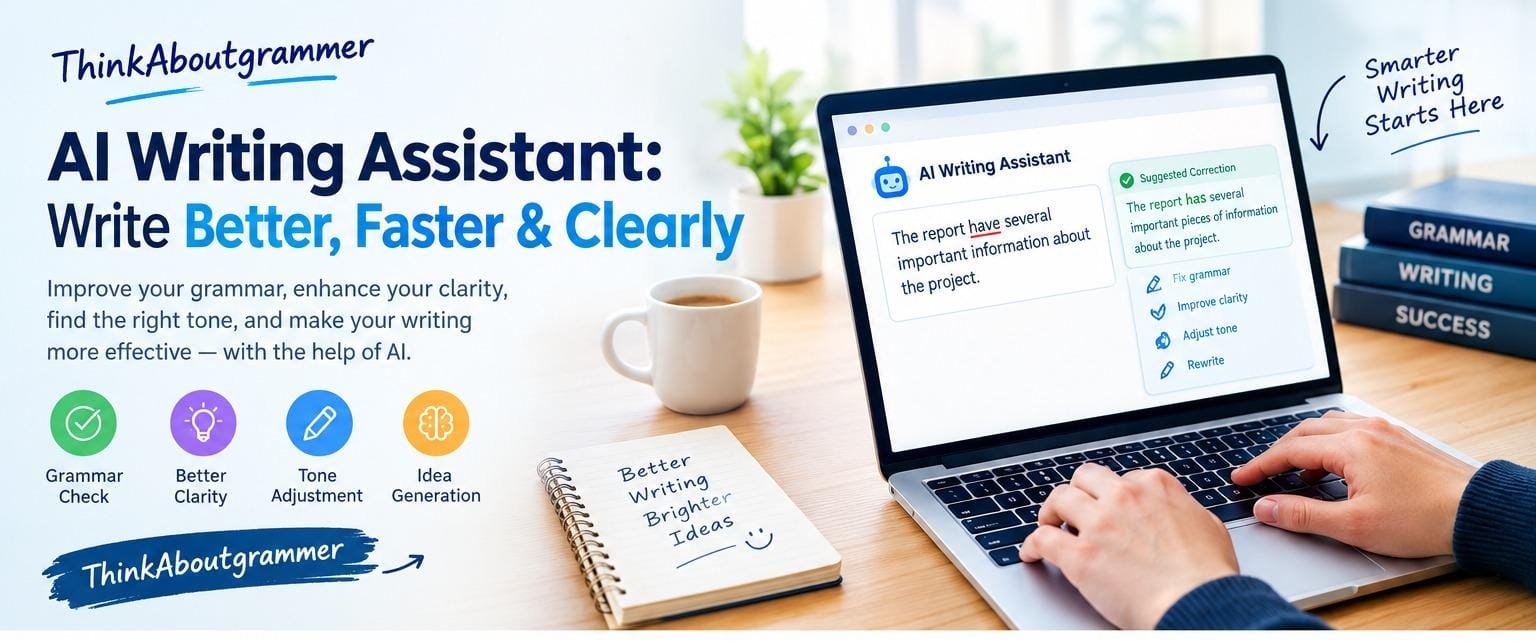
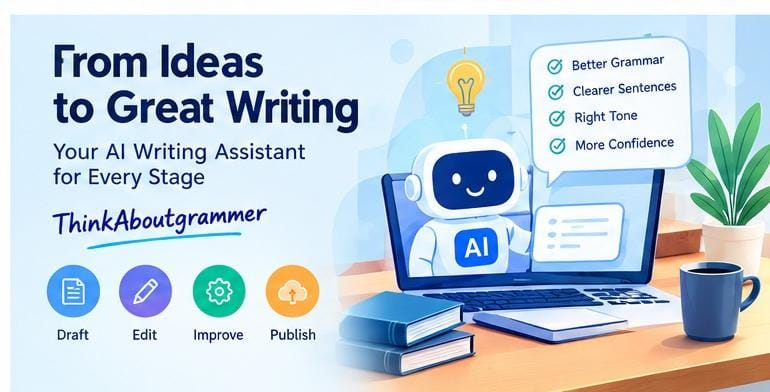
An AI writing assistant is a digital writing tool that uses artificial intelligence to support people while they write. Depending on the tool, it can help with grammar, spelling, sentence structure, clarity, tone, organization, brainstorming, summarizing, rewriting, and other parts of the writing process.
However, using one effectively is about more than clicking a button and accepting every suggestion. The best results come when the writer remains in control and uses AI as a writing partner rather than an automatic replacement for human judgment.
This guide explains what an AI writing assistant does, how it works, where it can help, what its limitations are, and how to use one responsibly for better writing.
What Is an AI Writing Assistant?
An AI writing assistant is software designed to help users create, revise, or improve written content.
Traditional grammar checkers primarily look for predefined spelling, grammar, and punctuation patterns. Modern AI-powered writing tools can go further by examining the context of a sentence and suggesting changes based on meaning, tone, and readability.
For example, consider this sentence:
Incorrect:
The report have several important information about the project.
A writing assistant might identify the agreement and wording problems.
Correct:
The report has several important pieces of information about the project.
The tool can help identify the problem, but understanding why the sentence is incorrect remains valuable. That knowledge allows the writer to make better decisions independently.
What Can an AI Writing Assistant Do?
Different tools offer different features, but many AI writing assistants can support several stages of the writing process. For readers interested in the latest developments, see our guide to AI Writing Tools Updates 2026.
Grammar and Spelling Correction
One of the most common uses is finding grammar, spelling, punctuation, and usage problems.
For example:
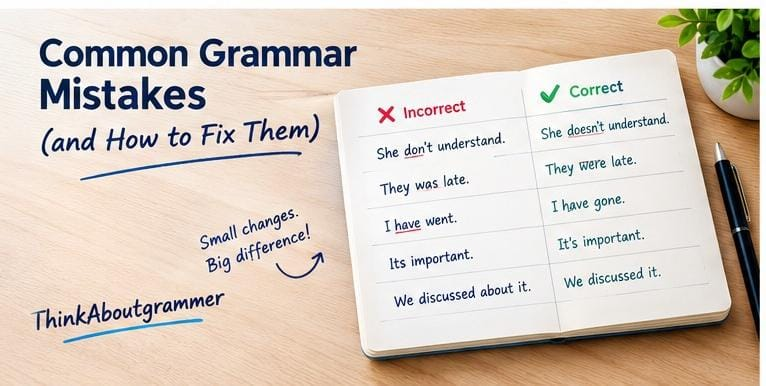
| Incorrect | Improved |
|---|---|
| She don’t understand the lesson. | She doesn’t understand the lesson. |
| They was late for class. | They were late for class. |
| I have went to the store. | I have gone to the store. |
| Its important to check the document. | It’s important to check the document. |
These corrections can be particularly useful when proofreading a long document.
Sentence Rewriting
Sometimes a sentence is grammatically correct but awkward.
For example:
Due to the fact that the meeting was cancelled, we were unable to discuss the proposal.
A more direct version is:
Because the meeting was cancelled, we could not discuss the proposal.
The second sentence is shorter and easier to read without changing the main meaning.
Improving Clarity
An AI writing assistant can identify sentences that are difficult to understand.
Less clear:
The changes that were made to the policy by the committee last week were not something that everyone was aware of.
Clearer:
Not everyone was aware of the policy changes the committee made last week.
The second version gives the reader the important information more quickly.
Adjusting Writing Tone
Some writing situations require a specific tone.
A message to a friend can be casual, while a business email should usually be professional.
For example:
Casual:
Hey, just wanted to check if you’ve had a chance to look at the document.
Professional:
I wanted to follow up and ask whether you have had an opportunity to review the document.
The underlying message remains similar, but the tone changes.
Brainstorming Ideas
Writers often struggle with the blank-page problem.
An AI writing assistant can help generate possible:
- Article ideas
- Essay topics
- Headlines
- Questions
- Subheadings
- Arguments
- Examples
- Content outlines
The important point is to treat these suggestions as starting points rather than automatically using everything generated.
How Does an AI Writing Assistant Work?
AI writing tools generally use language models trained to recognize patterns in language.
When you provide a sentence or paragraph, the system analyzes the text and predicts useful changes or generates possible alternatives.
For example, if you enter:
The students was preparing for their exams.
The system can recognize that the plural subject “students” requires the plural verb “were.”
The correction becomes:
The students were preparing for their exams.
More advanced systems can analyze context as well. This allows them to make suggestions about word choice, sentence flow, structure, and tone.
However, AI does not possess perfect understanding of every situation. A suggestion can sometimes be grammatically acceptable while still being inappropriate for the intended meaning.
That is why human review remains important.
AI Writing Assistant vs. Grammar Checker
These terms are related, but they are not always identical.
A traditional grammar checker may focus mainly on errors such as:
- Spelling
- Punctuation
- Subject-verb agreement
- Verb tense
- Pronoun usage
- Sentence fragments
An AI writing assistant may provide broader support, including:
- Rewriting
- Brainstorming
- Summarizing
- Tone adjustment
- Clarity improvements
- Content organization
- Drafting
- Grammar correction
Think of a grammar checker as a proofreader focused on language rules, while a broader AI writing assistant can support several stages of the writing process.
How an AI Writing Assistant Helps With Grammar
Grammar is one of the areas where writing assistants can be particularly useful. If you want to strengthen your foundation first, read our guide What Is Grammar.
Subject-Verb Agreement
A singular subject normally takes a singular verb in the present tense.
Incorrect:
The student study every evening.
Correct:
The student studies every evening.
With a plural subject:
The students study every evening.
An AI tool can flag these differences, but learning the rule makes the correction easier to understand.
Verb Tense
Verb tense should normally match the time being discussed.
Incorrect:
Yesterday, I go to the library.
Correct:
Yesterday, I went to the library.
For an action happening now:
I am going to the library.
For a completed action with present relevance:
I have gone to the library.
Context matters, so a writer should always check whether the suggested tense matches the intended meaning.
Pronoun Agreement
Pronouns should agree appropriately with the nouns they refer to.
Incorrect:
Every employee must submit their report by Friday.
This sentence can be acceptable in modern English depending on the intended style and context, but in formal writing a writer may prefer a clearer alternative:
All employees must submit their reports by Friday.
The second version removes potential ambiguity and makes the plural relationship explicit.
Punctuation
AI writing tools can also identify missing or unnecessary punctuation.
For example:
Incorrect:
After finishing the assignment Sarah went home.
Correct:
After finishing the assignment, Sarah went home.
The comma helps separate the introductory phrase from the main clause.
How to Use an AI Writing Assistant Effectively
Simply asking an AI tool to “make this better” may produce a result that does not match your purpose.
A better approach is to give the tool a clear task.
Step 1: Write Your First Draft
Start with your own ideas.
Do not worry about making every sentence perfect immediately. Focus on communicating the main message.
Step 2: Check the Structure
Look at the overall organization.
Ask:
- Is the main point clear?
- Does each paragraph have a purpose?
- Are ideas presented in a logical order?
- Are some sections repetitive?
- Does the conclusion actually summarize the discussion?
Step 3: Ask for Specific Improvements
Instead of:
Improve this.
Try:
Check this paragraph for grammar and punctuation mistakes while keeping my original meaning.
Or:
Rewrite this paragraph to make it clearer and more concise without changing the facts.
Specific instructions generally produce more useful results.
Step 4: Review Every Suggestion
Do not automatically accept every change.
Ask yourself:
- Does the correction preserve my meaning?
- Does the new wording sound natural?
- Is the tone appropriate?
- Is the information accurate?
- Would I actually say or write it this way?
Step 5: Proofread the Final Version
Read the finished text yourself.
AI-assisted writing can still contain:
- Incorrect facts
- Awkward wording
- Missing context
- Repetition
- Wrong names or terminology
- Unnecessary changes in meaning
Human proofreading is the final quality check.
Common Mistakes When Using AI Writing Tools
AI writing assistants can be useful, but they can also create problems when used carelessly.
Accepting Every Suggestion
A tool’s suggestion is not automatically the best possible sentence.
For example:
The meeting was very good.
An AI system might replace “very good” with a more sophisticated expression. But if the original phrase accurately matches your intended tone, changing it may make the writing less natural.
Making Everything Sound the Same
Over-editing can remove your natural writing style.
If every sentence becomes extremely polished and formal, your content may lose its personality.
Good editing should improve communication, not erase the writer’s voice.
Using Complicated Vocabulary
A common mistake is assuming that impressive writing requires difficult words.
Compare:
We utilized an innovative methodology to facilitate the commencement of the project.
with:
We used a new method to start the project.
The second sentence is simpler and may communicate the idea more effectively.
Clear writing is not weak writing.
Relying on AI Instead of Learning Grammar
An AI tool can correct an error, but that does not mean you understand the rule.
If you repeatedly make subject-verb agreement mistakes, learning the underlying grammar principle is more valuable in the long run.
AI Writing Assistant for Students
Students can use writing assistants for legitimate learning and editing purposes.
They may help with:
- Understanding grammar
- Improving sentence clarity
- Finding spelling errors
- Organizing ideas
- Creating study questions
- Reviewing drafts
- Understanding difficult vocabulary
For example, a student could ask:
Explain why this sentence is grammatically incorrect in simple English.
That approach turns the tool into a learning aid rather than simply using it to produce finished work.
Students should also follow their school’s or teacher’s rules regarding AI-assisted assignments.
AI Writing Assistant for Bloggers and Content Writers
Bloggers can use AI writing tools throughout the content creation process. If you’re developing your broader writing skills, our guide to Content Writing can also help you build a stronger content strategy.
A practical workflow might look like this:
Research → Outline → Draft → Edit → Fact-check → Proofread → Publish
An AI assistant can support several stages, but it should not replace research or fact-checking.
For SEO content, writers should prioritize:
- Search intent
- Useful information
- Logical organization
- Natural keyword usage
- Readability
- Accurate facts
- Original analysis
- Helpful examples
Simply repeating a keyword throughout an article does not automatically make the content better.
AI Writing Assistant for Emails
Email writing is another practical application.
Suppose you need to send a professional follow-up.
Basic version:
Hi, I wanted to ask if you checked my previous email. Please let me know.
A writing assistant could help make it more polished:
Hi, I’m following up on my previous email. Please let me know when you have a chance to review it.
The second version remains straightforward without becoming unnecessarily formal.
When Should You Not Use an AI Writing Assistant?
There are situations where independent thinking and human judgment are especially important.
Be cautious about relying on AI for:
- Sensitive personal communications
- Important legal documents
- Medical information
- Financial decisions
- Academic work where AI use is restricted
- Factual claims that have not been verified
- Highly specialized professional content
In these situations, an AI suggestion should not be treated as automatically correct.
How to Choose the Right AI Writing Assistant
There is no single tool that is best for every writer.
Before choosing one, consider what you actually need.
Grammar Support
If your main goal is proofreading, prioritize:
- Grammar detection
- Spelling correction
- Punctuation suggestions
- Sentence-level explanations
Content Creation
If you write articles or blog posts, look for features such as:
- Brainstorming
- Outlining
- Rewriting
- Summarization
- Long-form drafting
Style and Tone
For professional communication, tone controls can be useful.
Look for options related to:
- Formality
- Clarity
- Conciseness
- Professional tone
- Casual tone
Ease of Use
A powerful tool is not useful if it makes your workflow unnecessarily complicated.
Consider whether the assistant works easily with the applications and writing platforms you already use.
AI Writing Assistant: Best Practices
To get better results, follow a few simple principles.
Give Clear Instructions
Tell the tool exactly what you want.
Instead of:
Fix this.
Try:
Correct grammar and punctuation, keep the original meaning, and make the paragraph easier to read.
Provide Context
A sentence can mean different things depending on its context.
Explain whether you are writing:
- A school assignment
- A blog article
- A business email
- A social media post
- A technical document
Preserve Your Voice
Use AI suggestions selectively.
Your final writing should still reflect your intended style and message.
Verify Important Information
AI-generated text can contain inaccurate information.
For factual content, verify important claims using reliable sources.
Use AI for Editing, Not Just Generation
Some of the greatest value comes from improving text you have already written.
Ask an AI writing assistant to identify:
- Repetition
- Weak transitions
- Grammar problems
- Unclear sentences
- Passive constructions
- Inconsistent terminology
This can make the writing process more collaborative and controlled.
Incorrect vs. Correct: Practical Grammar Examples
Here are several common examples a writing assistant may identify.
| Problem | Incorrect | Correct |
|---|---|---|
| Subject-verb agreement | The team are working on it. | The team is working on it. |
| Verb tense | She go to school yesterday. | She went to school yesterday. |
| Article | He is good teacher. | He is a good teacher. |
| Double negative | I don’t need no help. | I don’t need any help. |
| Their/there | Their is a problem. | There is a problem. |
| Its/it’s | Its raining today. | It’s raining today. |
| Sentence clarity | We discussed about the issue. | We discussed the issue. |
Some grammar choices depend on dialect, context, and style, so a correction should always be evaluated rather than accepted blindly.
What Are the Limitations of an AI Writing Assistant?
AI writing assistants are useful, but they are not perfect.
Context Can Be Misunderstood
A tool may interpret a sentence differently from what the writer intended.
Suggestions Can Be Too Generic
A grammatically correct rewrite may still sound unnatural for a particular audience.
Facts Can Be Wrong
An AI system can generate statements that sound convincing but are inaccurate.
Style Can Become Over-Polished
Excessive rewriting may make writing sound less personal.
Human Judgment Still Matters
Good writing involves more than grammar. It requires purpose, audience awareness, reasoning, originality, and judgment.
The Future of AI-Assisted Writing
AI writing technology continues to develop, but the fundamental role of the writer remains important.
Future writing assistants are likely to become better at understanding context, maintaining a user’s preferred style, identifying inconsistencies, and supporting different stages of the writing process.
The most useful relationship may not be “AI writes, human publishes.” Instead, it can be:
Human thinks → AI assists → Human evaluates → Human finalizes
That approach combines technological assistance with human judgment.
Frequently Asked Questions
What is an AI writing assistant?
An AI writing assistant is software that uses artificial intelligence to help with tasks such as grammar correction, rewriting, brainstorming, summarizing, proofreading, and improving clarity or tone.
Is an AI writing assistant the same as a grammar checker?
Not necessarily. A grammar checker generally focuses on language errors, while an AI writing assistant can offer broader support, including rewriting, idea generation, organization, and tone adjustment.
Can an AI writing assistant improve grammar?
Yes. Many AI writing assistants can identify common grammar, spelling, punctuation, and sentence-structure problems. However, users should review suggestions to make sure they fit the intended meaning and style.
Can students use AI writing assistants?
Students may use them for learning, brainstorming, proofreading, and understanding grammar when permitted by their school or teacher. Rules about AI-assisted assignments vary, so students should follow the applicable academic policies.
Can an AI writing assistant write an entire article?
Some tools can generate complete drafts, but generated content should be reviewed, edited, and fact-checked. A writer should remain responsible for the final content.
How can I get better results from an AI writing assistant?
Give specific instructions, provide context, explain the desired tone, and describe what should remain unchanged. Most importantly, review the output instead of accepting every suggestion automatically.
Can an AI writing assistant replace a human writer?
It can automate or accelerate certain writing tasks, but it does not eliminate the need for human judgment. Writers still need to determine what to say, whether information is accurate, and whether the final text serves its audience.
Is AI-assisted writing always accurate?
No. AI-generated text can contain factual errors, misunderstand context, or make unsuitable wording choices. Important information should be independently verified.
Conclusion
An AI writing assistant can make writing easier by helping with grammar, spelling, clarity, organization, rewriting, brainstorming, and tone. Its greatest value comes from supporting the writer rather than taking complete control of the writing process.
Use it to identify problems, explore alternatives, and improve your drafts—but keep your own judgment at the center.
The best workflow is simple: write, review, improve, verify, and then publish. When AI assistance is combined with strong grammar knowledge and careful editing, it can become a practical tool for producing clearer and more effective writing.